
Tesla Settings You Should Change IMMEDIATELY (2026)
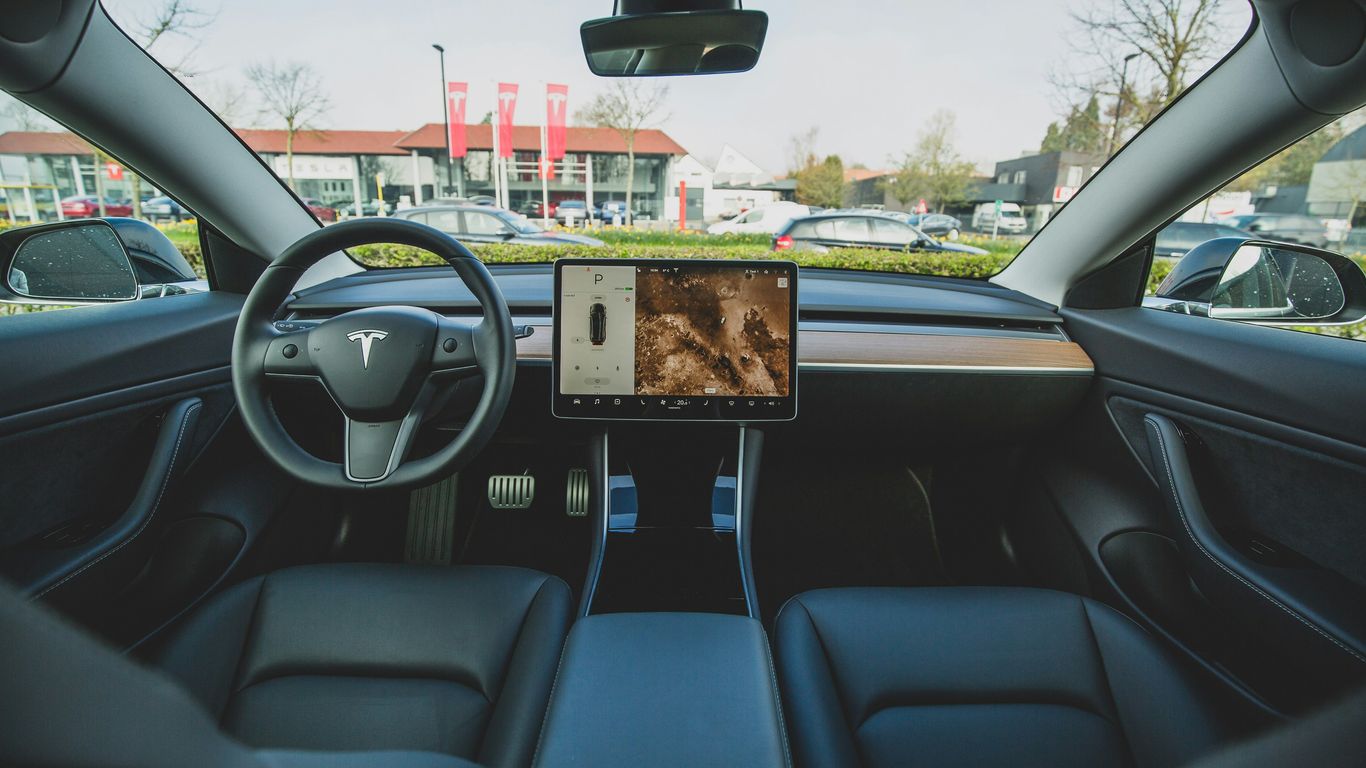
If you just got a Tesla, or even if you've had one for a while, there are settings in this car that might be working against you. Most Teslas come with default settings that aren't really optimized for comfort, efficiency, or even safety. And honestly, a lot of owners never bother to change them. Today, we're going to walk through some Tesla settings you should change right away in 2026, especially if you're driving a Model 3 Highland or a Model Y Juniper. These are simple tweaks that can make your Tesla feel smoother, quieter, and just generally easier to live with.
Key Takeaways
Adjust steering mode for a more natural feel.
Customize regenerative braking for smoother deceleration.
Tailor alerts and speed assist to your driving habits.
Optimize climate control and comfort features for efficiency and comfort.
Set up charging and Sentry Mode intentionally to save battery and money.
Driving Feel Adjustments
Let's start with the things that affect how the car feels the moment you begin driving. One of the first settings you should look at is Steering Mode. Tesla's default setting might not feel the most natural for everyday driving. Changing this affects how heavy or light the steering feels, especially at higher speeds. Take a minute to test the different options and pick the one that feels stable and predictable to you. This one change can make the car feel much more normal right away.
Next up is Regenerative Braking. This setting completely changes how the car slows down when you lift your foot off the accelerator. If it feels too aggressive or not strong enough, it can make driving the car feel unpleasant. Many people don't realize this is something you can adjust. Dial it in early so the car slows down smoothly instead of feeling jerky.
Safety and Alerts
Head over to the Safety menu and take a look at your alert settings. Tesla enables a lot of warnings by default, and while some are useful, others can feel a bit too much. You don't want to turn off safety systems completely, but you do want to customize how and when you get alerted so you're not constantly distracted or annoyed.
Speed Assist Behavior is another setting most people never touch. You can choose how Tesla warns you about speed limits – visually, audibly, or not at all. If you drive in areas where speed limits change frequently, this can either be a helpful tool or an extremely annoying one. Set it up so it actually works for you instead of fighting you on every drive.
Climate and Comfort Settings
Tesla's climate system is pretty powerful, but the default behavior isn't always ideal. Go into the Climate settings and adjust how aggressively the system responds. Some people prefer a quieter, slower response, while others want instant cooling or heating. Changing this makes a big difference in how comfortable the cabin is and how much noise the system makes.
Cabin Overheat Protection is usually enabled by default, but it might not be set up the way you want. If you live in a hot climate, you should choose how it behaves – whether it uses just the fan, the air conditioning, or turns off completely. This affects battery usage more than most people realize.
If your Tesla has heated or ventilated seats, go into the settings and customize how they behave. Some people want them turning on automatically, while others prefer to do it manually. There's no single right answer, but leaving the default can lead to unnecessary battery use or discomfort.
It's the same idea with the Steering Wheel Heating. Decide if you want it to turn on automatically or if you prefer to do it manually. This is a small setting, but it can make winter driving much more comfortable when it's set up correctly.
Display and Interface
Tesla's screen brightness settings are often overlooked. Go into Display settings and adjust how the screen responds to different lighting conditions. Some owners find the default too bright at night or too dim during the day. Fixing this early can reduce eye strain and make nighttime driving much better.
If your Tesla supports it, turn on automatic light and dark mode switching. This makes the interface easier to read and reduces glare, especially during night drives. Once you turn this on, you'll immediately notice less eye strain at night and a much cleaner-looking interface overall.
Tesla lets you customize what appears in your Quick Controls area, but most people never touch it. Put the controls you actually use there instead of digging through menus every day. This small change saves you time on every single drive because you stop hunting through menus for things you use all the time.
Profiles and Connectivity
Set up your Driver Profile properly. This isn't just about the seat position; it controls mirrors, steering wheel position, climate preferences, and more. When profiles are set up correctly, the car really feels like it was built specifically for whoever is driving it.
Go into your Phone Key settings and confirm that walk-away locking works consistently. Test it a few times. If it's unreliable, adjust how your phone connects or where it's stored in the car. Fixing this early can prevent those frustrating moments where the car doesn't unlock when you expect it to.
Autofolding mirrors are useful in tight spaces, and mirror tilt-in-reverse can help with parking, but not everyone likes it. Set it once and then you can pretty much forget about it. Once it's dialed in, you never have to think about your mirrors again.
Charging and Battery Health
Tesla's default settings don't always line up with the best daily use. Set your Daily Charge Limit intentionally, usually around 80% for most drivers, and don't just guess. This one setting alone can make a big difference in long-term battery health.
If your Tesla supports it, enable Location-Based Charging Limits. This allows the car to behave differently at home versus when you're on road trips, and it's one of the best newer charging features Tesla has added. After setting this up once, charging becomes something you barely have to think about anymore.
Set up Scheduled Charging or Scheduled Departure if you charge at home. This can save you money if you're on a time-of-use electricity plan and ensures the battery is ready when you need to leave. If you charge at home regularly, this is one of the easiest ways to save money without changing your routine.
Security and Updates
Let's talk about Sentry Mode. Decide where you actually want it to be active. Leaving it on everywhere drains the battery faster than most people expect. Being intentional with Sentry Mode helps balance security with battery life.
Make sure your Dashcam is enabled and recording properly. This protects you from day one, and it's surprising how many owners never actually check this. It only takes a few seconds to verify, and it can save you a massive headache later.
Tesla sends out a lot of notifications by default. Go through them and turn off the ones you don't really need. This helps important alerts from getting lost in the noise. Cleaning this up makes sure you actually notice the alerts that matter.
Finally, go into the Software menu and set updates to 'Advance'. This ensures you get new features sooner instead of months later. This simple change keeps your Tesla feeling new long after you've taken delivery.
Those are the Tesla settings you should change immediately in 2026. If you adjust even half of these, your Tesla will feel smoother, quieter, more comfortable, and just easier to live with every single day. If this video helped, give it a like, subscribe, and let me know which Tesla you're driving – Highland, Juniper, or something else. I'll see you in the next one. Peace.



Comments