
Tesla Owner Hub: Tools Accessories Apps and Guides
So, you've got a Tesla, huh? That's pretty cool. But owning one is more than just driving; it's about making the most of what you've got. Think of this as your go-to spot for all things Tesla. We're talking about the stuff that makes your car even better, the apps that add features, and the guides that help you figure it all out. Whether you're new to the electric scene or a seasoned driver, there's always something new to learn or a way to improve your ride. We're here to help you get the most out of your Tesla owner hub experience.
Key Takeaways
Discover accessories for inside and outside your Tesla, plus gear for charging and upkeep.
Explore apps that can make your Tesla experience better, from navigation to fun stuff.
Find guides to help you set up your new Tesla, choose the right model, and customize it.
Stay in the loop with the latest Tesla software updates and industry news.
Access a collection of tested accessories and reviews from other Tesla owners.
Essential Tesla Owner Hub Accessories
If you’ve ever cracked open your Tesla and thought, “How do I keep this looking and feeling as good as day one?” you’re not alone. There are smart upgrades and handy add-ons out there that can make daily life with your Tesla smoother—without looking like you raided a gadget warehouse. Here’s a look at the real-world accessories that can make a difference during every single ride.
Interior Organization Solutions
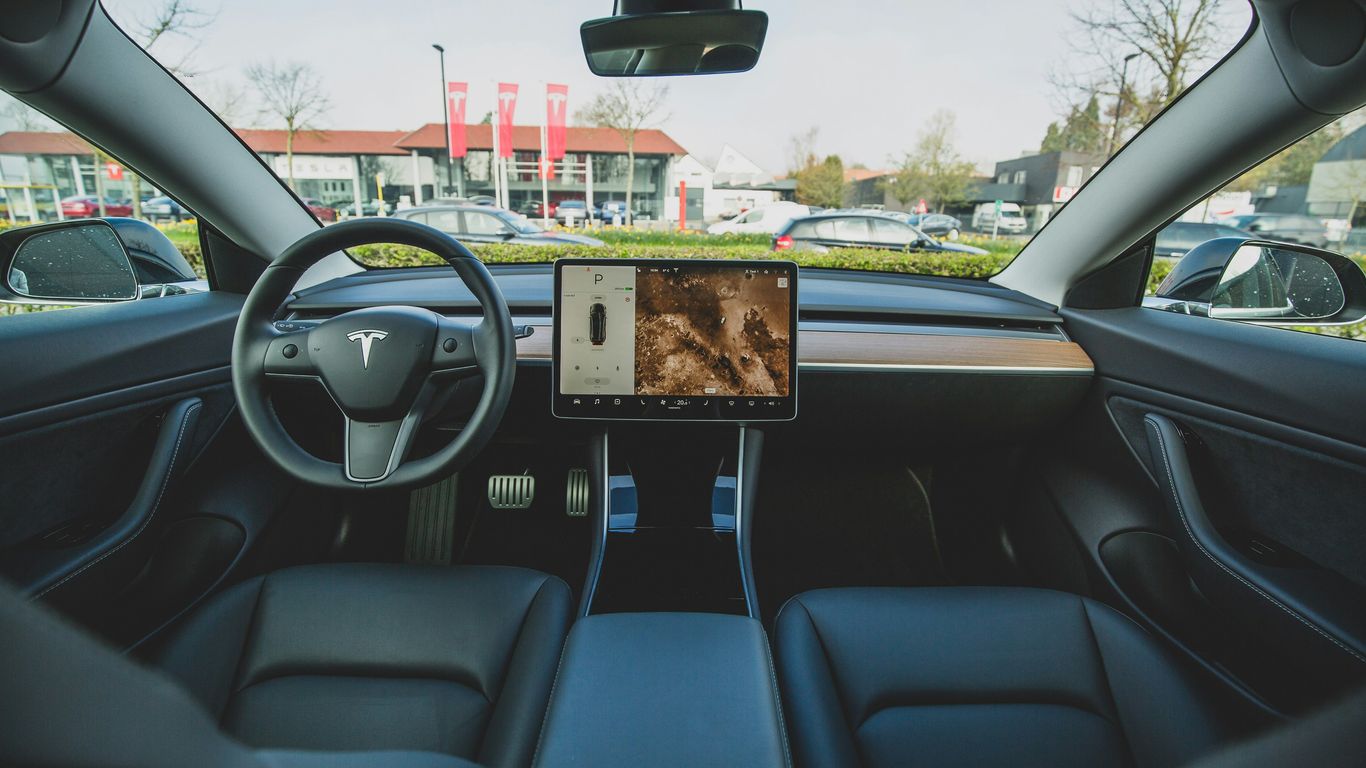
Ever tried to find your sunglasses in a Tesla after they slid out of the door pocket? Or spilled a coffee in the center console? Organization tools are your friend.
Center console organizers: Keep keys, coins, and phones from rattling around.
Under-screen trays: Super useful for hiding spare change or cables.
Door pocket inserts: Prevent small items from rolling all over.
Glove box dividers: Separate documents from everything else you toss in there.
Cup holder stabilizers: Stop drinks from flying when you turn fast—or pretend to be a racecar driver for a second.
Getting your interior under control honestly makes every commute less stressful. It’s surprising how quickly a tidy car just feels easier to live with.
Exterior Enhancements and Protection
It’s not just about a shiny finish—little changes outside can keep your Tesla protected and looking sharp.
Accessory Type | Benefit | Popular Models |
|---|---|---|
Screen Protectors | Prevents scratches, glare | Model S, 3, X, Y |
Mud Flaps | Shields paint from debris | Model 3, Y |
All-weather Floor Mats | Keeps interior clean | All models |
Car Covers | Guards against sun/dust | Model S, 3, X, Y |
Trunk Sill Guards | Stops scratches at trunk | Model 3, Y |
Some owners go for carbon fiber spoilers or decorative trims if they want a custom look, but even simple tools—a good set of floor mats—make a huge difference.
Charging and Maintenance Gear
On the practical side, charging accessories can completely change your charging routine. No more detangling cables in the dark or guessing if you’ve plugged in right.
Portable EV chargers for road trips or backup charging.
Cable organizers and wall mounts to tame those long, heavy charging wires.
Adapter sets for public charging, especially useful if you visit places with mixed plug types.
Portable air compressor and tire kits for those mornings when a warning light pops up before work.
Microfiber cloths and interior cleaners made just for the touchscreen and vegan leather.
Charging accessories are a must, but don’t forget simple stuff like a trunk organizer or an emergency kit—sometimes the basics save the day.
The right gear means less hassle and more confidence, whether it’s a long drive or a routine plug-in at home. You’ll wonder how you lived without some of these small but mighty upgrades.
Maximizing Your Tesla Experience With Apps
Discovering Curated Tesla Apps
Your Tesla is a computer on wheels, and apps can really make it do more. Think of them as digital tools that add extra features or make existing ones easier to use. We've looked at a bunch of apps out there, and some really stand out for making life with a Tesla simpler and more fun. It's not just about the car itself; it's about how you interact with it daily.
Enhancing Efficiency and Navigation
Apps can seriously help you get more out of your Tesla, especially when it comes to planning trips and managing power. Some apps are great for finding charging stations along your route, showing you real-time availability and charging speeds. Others help you keep a closer eye on your battery usage, giving you a clearer picture of your energy consumption. This kind of information can be a game-changer for longer drives or just for understanding your car's habits better.
Here are a few types of apps that can make a difference:
Route Planners: Apps that integrate with your Tesla's navigation to suggest optimal routes based on charging needs and traffic.
Battery Monitors: Tools that provide detailed insights into your battery health and energy usage patterns.
Charging Managers: Apps that help you track charging sessions, costs, and even schedule charging for off-peak hours.
Unlocking Entertainment Options
When you're parked, waiting for a charge, or just chilling in your car, apps can turn your Tesla into a personal entertainment center. Beyond the built-in options, there are third-party apps that offer new ways to stream music, watch videos, or even play games. These can make downtime feel a lot less like downtime. It's amazing how much more enjoyable a charging stop can be when you've got something fun to do right there on your car's screen.
Don't underestimate the power of a good app to fill those waiting moments. A well-chosen app can transform a mundane wait into a chance to relax or catch up on something you enjoy, making your overall Tesla ownership experience much richer.
Guides and Tutorials for Tesla Owners
Whether you’re a new Tesla owner or thinking about switching models, finding clear and honest guidance can make a big difference. Practical advice saves you from wasted time, confusion, and frustration—especially given how modern these cars really are. I know it’s easy to feel lost when first sitting behind the wheel, so here’s a breakdown of exactly what you can expect and how to get comfortable fast.
New Owner Setup and Transition Advice
Getting set up with your Tesla may seem simple, but there are a few steps you shouldn't skip. The start-up process, learning the menu system, and understanding features like regenerative braking can all feel unfamiliar. Here's what I recommend:
Download the Tesla app and link it to your car.
Adjust your seat, steering, and mirrors through the touchscreen.
Run through the security settings, including Sentry Mode and PIN to Drive.
Set up your preferred charging routine at home.
Familiarize yourself with core features using the Model Y owner’s manual.
Most new Tesla owners say the first week is a learning curve, but after a few days, it all starts coming together.
Model-Specific Buyer’s Guides
Choosing a Tesla model is not straightforward since they all excel in different ways. Here's a quick comparison:
Model | Range (mi) | Storage (cu ft) | Seats | Distinct Feature |
|---|---|---|---|---|
Model 3 | 272–358 | 23 | 5 | Sporty, affordable sedan |
Model Y | 279–330 | 68 | 5–7 | Extra cargo and seating |
Model S | 375–405 | 28 | 5 | Luxury, longest range |
Model X | 311–348 | 88 | 6–7 | Falcon Wing doors |
Ask yourself:
Do you need room for extra passengers or gear?
Is range for long trips your main focus?
Is sportiness or luxury more your style?
Step-by-Step Customization Tutorials
When you want to make your Tesla more you, step-by-step tutorials are the way to go. Installing a wireless charger or new floor mats is usually easy, but sometimes instructions miss small details that matter—like trim fit, wiring tricks, or settings tweaks.
Wireless Phone Charger Installation: Snap-in models often require no tools. Always test fit before sticking anything permanent.
Interior Accessories: Storage boxes, mats, and organizers can be placed in minutes, but some models involve sliding sections apart—watch for hidden clips!
Tech Upgrades: For software customizations, remember to reboot your screen if updates don’t show up right away.
Follow clear video or photo guides when possible.
Lay out all included parts to check for missing screws or connectors.
Test each accessory before final assembly.
If you like a hands-on approach or want to avoid dealership visits, these sorts of tutorials are a real time-saver. Even if it’s your first time doing any car mods, most upgrades only take a few minutes and make everyday use far easier.
Customizing your Tesla doesn’t need to be complicated—sometimes, it's as simple as swapping out a storage tray or adding app features through your phone. Take it one project at a time and you’ll be driving your perfect car in no time.
Staying Updated on Tesla Developments
Nobody wants to miss out on new features or important changes, especially if it means extra convenience or safety in your Tesla. Keeping up with Tesla's updates is a huge part of the ownership experience, so it’s worth getting into a good routine for news and model insights.
Latest Software Updates and Features
With Tesla rolling out over-the-air updates often, you’ll want to pay attention to what’s new, what’s changed, and how it affects your car. For example, the 2026 Model Y just received Software Update 2026.8, which includes the much-talked-about "Comfort Braking" mode, but note that it’s only on the new Juniper version for now. Following updates like Model Y’s Comfort Braking can be the difference between missing out on small enhancements or mastering new capabilities as soon as they're released.
Tips to Stay Informed About Updates:
Enable auto-update notifications in your Tesla app
Visit the in-car "Release Notes" section after each update
Follow trusted Tesla owner forums and news blogs
Updates don’t just add fancy features—they can completely change how you interact with your Tesla, sometimes making daily driving smoother or more tailored to your routine.
News and Industry Trends
The electric vehicle world moves fast. If you’re into cutting-edge technology, there’s a lot to monitor—Tesla headlines, industry analysis, and company moves. Here are a few steady practices for staying looped in:
Read Tesla-focused blogs that summarize the week’s news
Subscribe to newsletters geared toward owners
Watch video playlists dedicated to Tesla news for easy catch-up
Model-Specific Performance Insights
Not every Tesla is the same. Each model and even individual releases come with unique quirks or improvements. Comparing efficiency, range, or software features between generations can be helpful:
Tesla Model | Key Update Year | Notable Feature |
|---|---|---|
Model Y Juniper | 2026 | Comfort Braking Mode |
Model 3 Highland | 2025 | Improved Battery Range |
Model S Plaid | 2024 | Track Mode Enhancements |
When you’re thinking about an upgrade or just curious about how different models stack up, tables like the one above break things down at a glance.
Follow update logs for your specific model year
Check owner community reviews after big updates
Compare your driving data before and after new features
Keeping track of Tesla’s rapid updates, tech shifts, and model-specific tweaks doesn’t have to be complicated—just pick a couple favorite sources, check in regularly, and you’ll always know what’s happening.
Curated Tesla Owner Hub Resources
Sticking with Tesla can feel like a never-ending search for reliable advice and smart upgrades. There’s just so much noise out there. This is where truly curated resources come in—they cut out the guesswork and let you focus on enjoying your car.
Expertly Tested Accessories
Finding accessories that actually work with your Tesla shouldn't be a headache. Every recommendation found in the Owner Hub comes from extensive hands-on testing and real-world use. Products are only added to the list after they've proven comfortable, well-made, and fit for daily use. Here’s how the process breaks down:
Most items are tested on multiple Tesla models to check for compatibility.
Durability is judged over weeks or months—not just after a quick install.
Only accessories with consistent positive feedback and functionality make the list.
There’s nothing worse than wasting money on something that doesn’t hold up. When you find a storage organizer, neck pillow, or floor mat here, you know someone’s already put it through the wringer.
Customer-Verified Product Reviews
You can read spec sheets all day, but there’s nothing more helpful than real owner opinions. The Tesla Owner Hub gathers reviews from actual drivers—people who’ve installed a mud flap or tested a screen protector through rain, dirt, and daily life. Ratings consider things like shipping speed, ease of installation, and customer service support.
Sample Product Review Table:
Product | Model Tested | Avg. User Rating | Main Feedback |
|---|---|---|---|
Floor Mats | Model Y, 3 | 4.8/5 | Easy to install, durable |
Screen Protector | Model S | 4.5/5 | Quick install, responsive |
Carbon Fiber Spoiler | Model 3 | 5/5 | Great fit, stylish look |
You can read more owner testimonials and buying tips on recommended Tesla resources to help nail down what really matters to you.
Guides for Every Tesla Model
There’s more to loving your Tesla than just gadgets; knowing which upgrades are perfect for your specific car matters too. The Hub features:
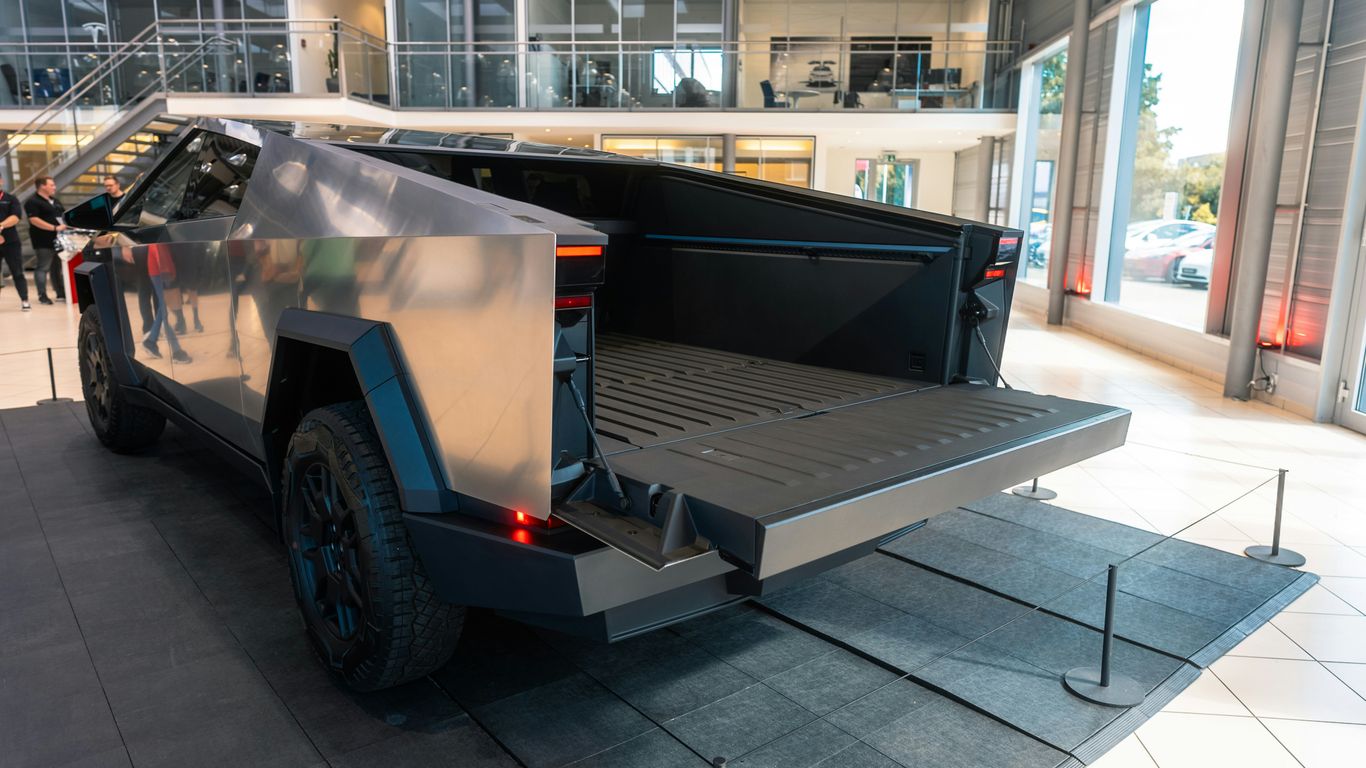
Model-specific buying guides for Model S, 3, X, Y, and even the Cybertruck.
Step-by-step breakdowns for installs and care, tailored for each version (and new refresh).
Lists of which upgrades are genuinely worth the cash—so you avoid wasting money on stuff you’ll never use.
If you’ve ever stood in your garage staring at a random part and wondering, “Why doesn’t this fit my Model Y?” then you already know why the Owner Hub’s detailed guides are so helpful. No more returns, no more guessing—get the right part the first time.
Whether you’re a new owner or just looking for ideas on how to keep your Tesla organized, these curated resources are designed to make car ownership that much smoother.
Looking for the best gear for your Tesla? We've gathered a fantastic collection of items perfect for Model Y, 3, S, X, and even the Cybertruck. From floor mats that keep your car clean to cool tech that makes driving even better, we've got you covered. Check out our top picks and make your Tesla experience even more awesome!
Wrapping It Up
So, there you have it. We've looked at a bunch of cool apps and accessories that can really make owning a Tesla even better. Whether you're trying to keep your car spotless, add some personal style, or just make your daily drive a bit smoother, there's something out there for everyone. It’s all about making your Tesla work for you. Keep exploring, keep adding those little touches, and enjoy the ride.
Frequently Asked Questions
What are some must-have accessories for a new Tesla owner?
For new Tesla owners, great starting accessories include things that help keep your car tidy, like organizers for the center console and door pockets. Floor mats are also super useful to protect your car's interior from dirt and spills. A good screen protector for the main display is a smart idea too, to keep it looking new and prevent scratches.
How can apps improve my Tesla experience?
Apps can make your Tesla even better! Some apps help you find the best places to charge, track your car's energy use, or even add fun entertainment options for when you're parked. Think of them as helpful tools or cool upgrades for your car's computer.
Are there specific guides for different Tesla models?
Yes, there are guides made just for each Tesla model! These guides can help you understand all the special features your specific car has, compare different models if you're thinking about buying one, or show you how to set things up when you first get your car. It's like having a personal guide for your exact Tesla.
Where can I find reliable reviews for Tesla accessories?
You can find reliable reviews from other Tesla owners on websites that specialize in car accessories. Look for sites that show real customer feedback and have tested the products themselves. This helps you know if an accessory is good quality and actually works well before you buy it.
What kind of exterior accessories are popular for Teslas?
People often add accessories to their Tesla's exterior to make it look cooler or to protect it. Things like stylish spoilers can change the car's look, while mud flaps can help keep dirt and rocks from splashing onto the car. Some owners also use special coatings to protect the paint.
How do I stay updated on new Tesla features and news?
Tesla often sends out software updates that add new features or improve existing ones. You can usually find out about these through the car's screen or the Tesla app. Following Tesla news websites or channels that focus on Tesla can also keep you informed about the latest happenings in the Tesla world and any new models or tech.


Comments