
Tesla Range Optimization Guide for Real-World Driving
So, you've got a Tesla and you want to get the most miles out of every charge. That's totally understandable. It's not always about how big the battery is, but how smart you are with it. This Tesla range optimization guide is here to help you figure out all the little things that add up to a bigger range. We'll cover how you drive, how you charge, and even what you put in or on your car. Let's get your Tesla going further.
Key Takeaways
Keep an eye on your battery's health and how old it is, as this directly affects how far you can go.
Driving smoothly, keeping a steady speed, and using regenerative braking are big helpers for saving energy.
Use your Tesla's built-in screens to see where your energy is going and plan your trips wisely.
Make sure your tires are properly inflated and try not to carry extra weight or add things that stick out and catch the wind.
Smart charging at home and knowing when to use Superchargers, plus letting your car warm up the battery, makes a difference.
Understanding Your Tesla's Range Factors
So, you've got a Tesla, and you're wondering about that range number. It's not just a static figure, you know. Lots of things play a part in how far you can actually go on a single charge. Think of it like your phone's battery – some days it lasts forever, other days it drains way too fast. Your Tesla is similar, and understanding why is the first step to getting the most out of it.
Battery Health And Age
Your car's battery is the heart of its range, and like any battery, it changes over time. Tesla batteries are built to last, and they come with an impressive 8-year warranty, but they do degrade a little with every charge cycle and every mile driven. This means an older battery, or one that's seen a lot of heavy use, might not hold as much charge as it did when it was brand new. It's a gradual thing, not usually a sudden drop, but it's definitely a factor in your car's overall range.
Environmental Influences On Range
The weather outside has a bigger impact than you might think. Cold temperatures are the biggest culprit here. When it's cold, your battery chemistry changes, and it takes more energy just to keep the battery at its optimal temperature. Plus, you'll likely be using the heater more, which also draws power. Hot weather isn't great either, as the car uses energy to keep the battery cool and the cabin comfortable. Even driving uphill requires more energy than cruising on a flat road, and wind resistance, especially strong headwinds, can really eat into your miles.
Driving Style And Its Impact
This is where you have the most control. How you drive directly affects how quickly you use energy. Slamming on the accelerator or braking hard every few seconds is like chugging energy drinks – it uses a lot, fast. Smooth, gentle inputs are much more efficient. Think about it: if you're constantly accelerating hard, you're using a lot of power. Then, when you brake hard, you're essentially throwing away that energy as heat. A more relaxed approach makes a big difference.
Here's a quick look at how different factors can influence your range:
Speed: Higher speeds mean significantly more energy use due to air resistance.
Temperature: Cold weather reduces battery efficiency and increases heating needs.
Terrain: Hills and mountains require more energy to climb.
Driving Habits: Aggressive acceleration and braking drain the battery faster.
The advertised range is usually tested under ideal conditions. Real-world driving, with its mix of speeds, temperatures, and driving styles, will almost always result in a different, often lower, range. It's important to manage your expectations based on these variables.
Optimizing Driving Habits For Maximum Mileage
So, you've got your Tesla, and you're ready to hit the road. But how do you make sure you're getting the most miles out of every charge? It really comes down to how you drive. Think of it like this: you wouldn't redline your gas car everywhere you go, right? Same idea here, but with electricity.
Smooth Acceleration And Braking Techniques
This is probably the biggest one. When you stomp on the accelerator, you're asking a lot of energy from the battery, and fast. Instead, try to be gentle. Think of it as easing into the speed you want, not jumping into it. The same goes for braking. Instead of waiting until the last second and slamming on the brakes, anticipate stops and traffic lights. This allows you to use regenerative braking more effectively, which actually puts some energy back into your battery.
Gentle acceleration: Apply the accelerator smoothly and gradually. Avoid sudden bursts of speed.
Anticipatory braking: Look ahead and ease off the accelerator early when you see a red light or slowing traffic.
Minimize hard braking: Hard braking wastes energy that could have been recovered through regenerative braking.
Maintaining Optimal Speed
There's a sweet spot for speed that's most efficient. Driving too fast uses up energy much quicker. While Teslas are built for speed, keeping it reasonable on the highway makes a noticeable difference. Most EVs, including Teslas, tend to be most efficient somewhere between 45-60 mph, depending on the model and conditions. Pushing it much beyond that, especially over 70 mph, starts to significantly increase energy consumption due to air resistance. It's a trade-off between getting there faster and using less energy. You can check out some helpful videos on Tesla driving tips to see how different speeds affect range.
Utilizing Regenerative Braking Effectively
This is where Teslas really shine. Regenerative braking is like a built-in energy recovery system. When you lift your foot off the accelerator, the electric motor acts as a generator, slowing the car down and sending power back to the battery. Most Teslas have adjustable regen settings. Setting it to 'Hold' or 'Standard' usually provides the strongest regenerative braking, meaning you can often drive using just the accelerator pedal for most situations – accelerating and slowing down – without needing to touch the brake pedal much at all. This is a game-changer for efficiency. It takes a little getting used to, but once you master it, you'll see a real improvement in your range. It's all about being smooth and letting the car do the work of slowing down and recharging.
Mastering regenerative braking means you'll be using your brake pedal a lot less. This not only saves energy but also reduces wear on your physical brake pads, meaning they'll last longer. It's a win-win for your wallet and your range.
Here's a quick look at how different driving styles can impact your energy usage:
Driving Style | Energy Consumption (kWh/mile) | Range Impact |
|---|---|---|
Aggressive (hard accel/braking) | High | Significant Reduction |
Moderate (smooth accel/braking) | Medium | Moderate Reduction |
Efficient (max regen, smooth) | Low | Minimal Impact |
Remember, consistent, gentle inputs are key. It's not about driving slowly, but about driving smartly.
Leveraging Tesla's Technology For Range Efficiency
Your Tesla is packed with smart features designed to help you get the most out of every charge. It's not just about the battery size; it's about how you use the car's built-in intelligence. Let's look at how you can use the tech to your advantage.
Understanding Energy Usage Displays
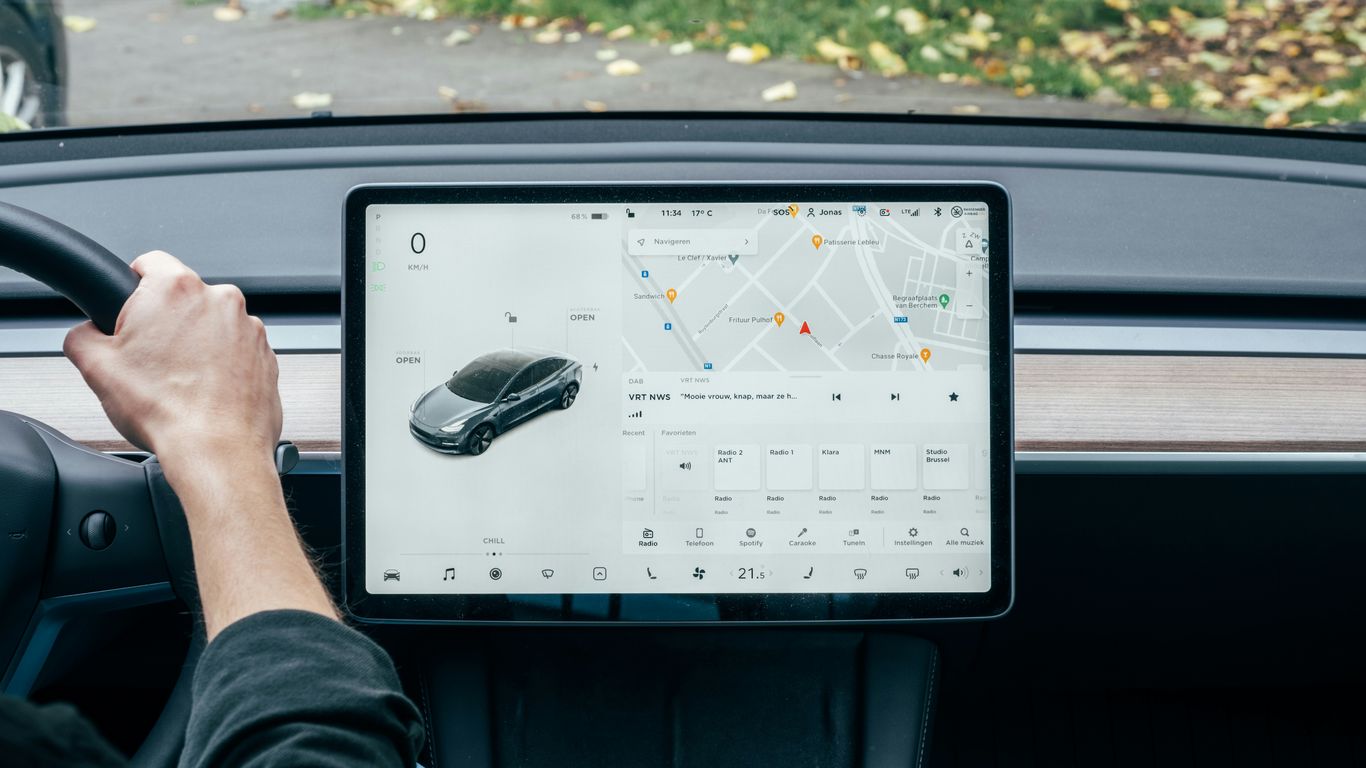
Tesla's energy display is your best friend when it comes to understanding where your battery power is going. It's not just a simple gauge; it breaks down consumption by driving, climate control, and even phantom drain. Paying attention to these real-time figures can help you make immediate adjustments to your driving habits. For instance, if you see climate control is using a significant chunk, you might reconsider blasting the heat or AC.
Here's a quick look at what you'll typically see:
Driving: This is the biggest factor, showing energy used for acceleration, maintaining speed, and braking.
Climate Control: Heating and cooling the cabin, especially in extreme temperatures, uses a noticeable amount of energy.
Accessories: Things like seat heaters, stereo, and other powered features contribute, though usually less than driving or climate.
Phantom Drain: This is the small amount of energy used when the car is parked, for things like keeping systems online or maintaining battery temperature.
Smart Navigation And Route Planning
Tesla's navigation system is more than just a way to get from point A to point B. When you input a destination, it automatically calculates the most efficient route, considering elevation changes and traffic. More importantly, it factors in necessary charging stops and estimates arrival times based on current battery levels. This takes a lot of the guesswork out of long trips. For example, if you're planning a longer journey, the car will suggest Supercharger stops along the way, helping you avoid range anxiety. You can also see how adding stops affects your overall travel time and battery usage. This system is pretty advanced, and it's always getting better with software updates, much like the progress seen in autonomous driving.
Climate Control Strategies
While climate control can be a significant energy user, Tesla offers smart ways to manage it. Instead of just turning the AC or heat to max, consider using the pre-conditioning feature while your car is still plugged in. This uses shore power to bring the cabin to your desired temperature before you even leave. It's a game-changer on cold mornings or hot afternoons. You can schedule this through the app or the car's interface. Also, using seat heaters and steering wheel heaters is often more energy-efficient than heating the entire cabin, especially for solo drivers. It's all about finding that balance between comfort and efficiency, and Tesla's tech makes it easier to manage.
The car's energy display is a powerful tool. Don't just glance at it; actively use the information to adjust your driving and climate settings. Small changes can add up to significant range improvements over time.
Preparing Your Tesla For Efficient Travel
Getting your Tesla ready for a trip isn't just about packing your bags. A few simple checks and adjustments can make a surprising difference in how far you can go on a single charge. Think of it like getting your bike tuned up before a long ride – small things matter.
Tire Pressure and Maintenance
This is a big one, honestly. Underinflated tires create more rolling resistance, which means your car has to work harder to move. That extra effort drains the battery faster. Always check your tire pressure before a long drive, especially if the weather has changed. You can usually find the recommended pressure on a sticker inside the driver's side doorjamb or in your owner's manual. Over time, tires can lose air, so it's good practice to check them at least once a month. Also, keep an eye on the tread wear. Uneven wear can also affect efficiency and, more importantly, your safety.
Reducing Vehicle Weight
Every extra pound your Tesla carries requires more energy to move. It might seem minor, but think about all the stuff we tend to keep in our cars "just in case." That old gym bag, the collection of emergency supplies you haven't touched in years, or even just a trunk full of things you forgot to unload after your last shopping trip – it all adds up. Take a few minutes to do a quick clean-out before you head out. You'll be surprised how much weight you can shed. Less weight means less energy used, and more miles for you.
Aerodynamic Considerations
Your Tesla is designed to be pretty slick through the air, but you can mess that up easily. Things like roof racks, bike carriers, or even open windows at higher speeds create drag. Drag is basically the air pushing back against your car, and it takes a lot of energy to overcome. If you're not using a roof rack, take it off. When you're on the highway, try to keep the windows closed and use the car's climate control instead. Even small things like ensuring all doors and windows are fully sealed can help minimize air resistance. It's all about making it as easy as possible for your car to slice through the air.
Charging Strategies For Extended Range
Charging your Tesla isn't just about plugging it in; it's about doing it smartly to keep you going further. Think of it like planning your meals for a long hike – you want the most energy for the least amount of fuss.
Optimizing Home Charging Habits
For most of us, home is where the bulk of charging happens. It's the most convenient and usually the cheapest way to keep your battery topped up. Here’s how to make the most of it:
Set a Schedule: Most Teslas allow you to schedule charging. If your electricity rates change throughout the day, charge during off-peak hours when electricity is cheaper. This can save you a noticeable amount of money over time.
Charge Daily (or Almost): Unlike older gasoline cars, you don't need to wait for your Tesla's battery to get low before charging. Topping up regularly, even by a small amount, is generally better for battery health and ensures you always have a good amount of range ready to go.
Use the Mobile Connector: The portable charger that comes with your Tesla is super handy. While it might charge slower than a Wall Connector, it's perfect for overnight charging if you don't have a dedicated home charger installed. Just plug it into a standard outlet (like a NEMA 5-15 or 14-50) and let it do its thing.
Effective Use Of Superchargers
Superchargers are amazing for road trips, letting you add a lot of range in a short amount of time. But using them efficiently is key.
Charge Only What You Need: When you're on a road trip, it's tempting to charge to 100% at every Supercharger. However, charging speed slows down significantly after about 80%. Often, it's faster to charge to, say, 80% or 90%, get back on the road, and then stop again sooner if needed. Check your navigation screen; it usually tells you the estimated charge level upon arrival at your destination.
Avoid Peak Times: Just like home charging, Supercharger rates can sometimes vary. More importantly, charging during busy periods means longer waits. Planning your stops to avoid rush hours or busy travel days can make a big difference.
Use the Tesla App: The Tesla app is your best friend here. It shows you which Superchargers are available, how many stalls are open, and even if there are any issues. This helps you pick the best station and avoid unnecessary detours.
Understanding Battery Preconditioning
This is a fancy term for warming up or cooling down your battery to make it charge faster and more efficiently. It's especially important in colder weather.
Automatic Preconditioning: When you navigate to a Supercharger using your Tesla's built-in navigation, the car automatically starts preconditioning the battery about 15-30 minutes before you arrive. You'll usually see a snowflake or thermometer icon on your screen indicating this is happening.
Why It Matters: A cold battery doesn't accept a charge as quickly. Preconditioning brings it to the optimal temperature range, allowing it to accept a faster charge rate at the Supercharger. This means less time spent waiting and more time driving.
Manual Preconditioning (Limited): While Tesla primarily handles this automatically when navigating to a Supercharger, it's a good reminder that battery temperature is a significant factor in charging speed. Don't try to force it; let the car manage it when navigating to a charger.
Smart charging isn't just about convenience; it's about maximizing your car's potential and saving money.
Accessory Choices That Affect Range
So, you've got your Tesla, and you're thinking about adding some cool stuff to it. That's totally normal! But before you go wild buying every shiny gadget, let's talk about how some of these accessories can actually mess with your car's range. It's not always obvious, but things you add can make a difference, especially on longer trips.
Impact Of Wheel And Tire Upgrades
Wheels and tires might seem like a simple choice, but they can have a surprisingly big effect on how far you can go on a single charge. Bigger, heavier wheels often mean more rolling resistance. Think about it: more weight and a larger surface area pushing against the road. This makes the car work harder, using up more energy. Plus, some aftermarket wheels aren't designed with aerodynamics in mind, which can also hurt efficiency. It's a good idea to stick with sizes and styles that are close to what your Tesla came with from the factory if range is a top priority. Sometimes, even just changing the type of tire can make a difference. Tires designed for performance might grip better, but they often wear faster and use more energy than eco-focused tires.
Roof Racks And External Attachments
Got plans for a road trip and thinking about a roof rack or a bike carrier? Hold on a sec. Anything you strap to the outside of your car, especially up high, is going to mess with the airflow. This is called aerodynamic drag, and it's a big energy drain, particularly at highway speeds. Even empty roof racks can create a noticeable amount of drag. If you're not using them, taking them off is the best bet for maximizing your range. For things like skis or bikes, consider if there are more aerodynamic options available, or if you can fit everything inside the car. Every little bit of drag adds up, and it directly impacts how many miles you get per charge. Some aero covers can help with this, especially on longer journeys [b6c2].
Interior Comfort Accessories
Now, you might be thinking, "What about stuff inside the car?" Well, some interior accessories can also play a role, though usually a smaller one compared to external add-ons. Things like heavy floor mats, especially if they're not a perfect fit, can add a bit of weight. More significantly, accessories that draw power can impact range. While Teslas are pretty efficient, things like aftermarket seat heaters or powerful sound systems, if not managed well, will use energy from the main battery. It's usually not a huge drain, but if you're trying to squeeze out every last mile, it's something to keep in mind. Simple things like organizers for your console or door pockets don't add weight or drag, so they're generally a safe bet for keeping your car tidy without sacrificing range.
Choosing the right add-ons for your car can really change how far it can go on a single charge. Some items might make your car heavier or less smooth through the air, which uses up more power. Think about things like roof racks or even certain types of tires. These small choices add up and can make a difference in your driving range. Want to learn more about how to get the most out of your electric vehicle? Visit our website for expert tips and top accessory recommendations!
Wrapping It Up
So, there you have it. Getting the most miles out of your Tesla isn't some big mystery. It's mostly about being smart with how you drive and keeping an eye on a few key things. Think about your speed, how you use the climate control, and even the tires you pick. Little changes can add up to a big difference in your daily range. Plus, with all the cool accessories out there now, like organizers and better floor mats, you can make your Tesla even more efficient and comfortable. Keep these tips in mind, and you'll be cruising further on every charge. Happy driving!
Frequently Asked Questions
How does the weather affect my Tesla's driving range?
Cold weather can make your battery less efficient, meaning you won't get as many miles on a full charge. Hot weather also uses energy, especially when you run the air conditioning. It's like how you feel sluggish in extreme temperatures – batteries do too!
What's the best way to drive to save battery power?
Imagine you're gliding! Gentle acceleration and smooth braking are key. Avoid sudden bursts of speed or hard stops. Think of it like coasting down a hill whenever possible. This helps your car use less energy overall.
How important is tire pressure for range?
Keeping your tires properly inflated is super important. Under-inflated tires create more drag, making your car work harder and use more battery. Check your tire pressure regularly, just like you would for any car, to get the best range.
Can I use my Tesla's climate control without hurting my range?
Yes, but be mindful! Using the AC or heater uses energy from the battery. Try using seat heaters or steering wheel heaters first in the cold, as they use less power. Pre-conditioning your car while it's plugged in is also a smart move to save battery for driving.
Does driving faster really use that much more battery?
Absolutely! The faster you go, the more energy your Tesla needs to push through the air. Sticking to a moderate, steady speed, especially on highways, is one of the easiest ways to extend your driving distance significantly.
What is 'regenerative braking' and how do I use it?
Regenerative braking is like a superpower for your Tesla! When you lift your foot off the accelerator, the car slows down and uses that energy to recharge the battery a little. It's best to get used to this 'one-pedal driving' feel – it really helps recapture energy you'd otherwise lose.


Comments