
Tesla Maintenance Guide: What You Actually Need to Do
So, you've got a Tesla, huh? That's pretty cool. Now, keeping it running smoothly and looking good doesn't have to be a huge headache. This whole Tesla maintenance guide thing might sound a bit much at first, but honestly, it's mostly about staying on top of a few simple things. We're not talking about oil changes here, thankfully. It's more about making sure the basics are covered so you can just enjoy driving your electric ride. Let's break down what you actually need to pay attention to.
Key Takeaways
Regularly check your tire pressure and get them rotated to make them last longer.
Keep an eye on your brake fluid and pads; they're important for safety.
Clean your cabin air filter every so often to keep the air fresh inside.
Wash your Tesla carefully to protect the paint, and consider paint protection for extra defense.
Stay updated with Tesla's software and learn to use voice commands to make driving easier.
Essential Tesla Maintenance Checks
Keeping your Tesla in top shape doesn't require a ton of work, but a few regular checks go a long way. Think of it like this: you wouldn't drive your phone into the ground without charging it, right? Your car is similar, just with more wheels and a lot more miles to cover.
Tire Pressure And Rotation
Your tires are literally what connect you to the road, so keeping them happy is pretty important. Checking your tire pressure regularly is one of the simplest yet most effective maintenance tasks you can do. Low pressure can mess with your range, make your tires wear out faster, and even affect how your car handles. Tesla recommends keeping your tires inflated to the pressures listed on the sticker inside your driver's side doorjamb. You can check this with a simple tire pressure gauge – they're not expensive and are super easy to use.
How often? Aim for at least once a month, and before any long trips.
What to look for: Besides pressure, check for any uneven wear or damage to the tire sidewalls.
Rotation: Tesla recommends rotating your tires every 6,250 miles (or 10,000 km). This helps them wear down more evenly, extending their life and keeping your ride smooth.
Brake Fluid And Pad Inspection
Because Teslas use regenerative braking so much, your brake pads and rotors often last much longer than in traditional cars. That's a good thing! However, it doesn't mean you can forget about them entirely. Brake fluid, on the other hand, can degrade over time and absorb moisture, which isn't great for the braking system.
Brake Fluid: Tesla recommends a brake fluid check every two years. If it looks dark or dirty, it's probably time for a flush and replacement.
Brake Pads & Rotors: While they last longer, you should still have them inspected periodically, especially if you notice any unusual noises or a change in braking feel. A visual check can often tell you if they're getting low.
Don't ignore your brakes just because they don't get used as much. They're still a critical safety system, and while they might last longer, they still need attention now and then.
Cabin Air Filter Replacement
This one's all about keeping the air you breathe inside your car fresh. The cabin air filter traps dust, pollen, pollution, and other stuff from getting into the car. Over time, it gets clogged up.
When to replace: Tesla suggests replacing the cabin air filter every two years. If you drive in a dusty area or have allergies, you might consider doing it more often.
Why it matters: A clean filter means better air quality inside your car, which is especially nice on long drives or if you have passengers.
DIY friendly? For many owners, replacing the cabin air filter is a straightforward DIY task that can save you a bit of money compared to having a service center do it.
Keeping Your Tesla's Exterior Pristine
Your Tesla is a work of art on wheels, and keeping its exterior looking sharp is part of the ownership experience. It's not just about looks, though; a well-maintained exterior can help protect your investment over time. Let's break down how to keep your Tesla shining.
Washing And Drying Techniques
Regular washing is key, but how you wash matters. Avoid washing your car in direct sunlight or when the paint is hot, as this can cause water spots and make soap harder to rinse off. Instead, aim for cooler times of day, like early morning or late afternoon, or find a shady spot. When it comes to cleaning products, stick to pH-neutral soaps designed for automotive use. Harsh chemicals can strip away protective coatings and damage the paint. After washing, use clean, soft microfiber towels to dry your car. Patting or gently wiping is better than rubbing vigorously. For a truly clean finish, consider using a dedicated car wash soap and a two-bucket method – one for soapy water and one for rinsing your wash mitt. This helps prevent dirt from being spread back onto the paint. You can find great car cleaning kits to get you started [here](adam's arsenal builder car cleaning kit).
Paint Protection Options
Once your Tesla is clean, think about protecting that finish. There are a few popular routes you can go. Ceramic coatings offer a hard, durable layer that repels water and dirt, making future washes easier. They can last for years if applied correctly. Another option is paint protection film (PPF), a clear urethane layer that acts like a shield against rock chips, scratches, and swirl marks. PPF is typically applied to high-impact areas like the front bumper, hood, and fenders, but can also be applied to the entire car. For a simpler, more temporary solution, high-quality car waxes and sealants can provide a glossy finish and some level of protection, though they require more frequent reapplication.
Protecting your Tesla's paint isn't just about making it look good; it's about preserving its condition and value. Think of it as a long-term investment in your vehicle's appearance and longevity.
Window And Wiper Care
Don't forget the glass! Clean windows are vital for visibility and safety. Use a dedicated glass cleaner and a clean microfiber cloth for streak-free results. Pay attention to the edges and corners where dirt can accumulate. For the wipers, check the rubber blades periodically for any signs of cracking or stiffness. If they're leaving streaks or making noise, it's time for a replacement. Keeping the windshield free of debris also helps prevent premature wear on the wiper blades. You can also use a water repellent treatment on your windows to help water bead off at higher speeds, improving visibility in rain. This can be a game-changer on those stormy drives.
Interior Care For Your Tesla
Keeping the inside of your Tesla looking and feeling fresh is pretty straightforward. It's not like you're dealing with a gas engine, but the interior still needs some attention to stay comfortable and looking good. A clean cabin makes every drive more enjoyable.
Cleaning Upholstery And Surfaces
For everyday spills and dust, a simple wipe-down usually does the trick. Grab a soft microfiber cloth and a bit of warm water. If you need something a little stronger, a mild, non-detergent cleaner works well. Just make sure not to soak the surfaces. For tougher spots on fabric seats, a dedicated upholstery cleaner might be needed, but always test it on an inconspicuous area first. The large touchscreen is a fingerprint magnet, so keep a separate, clean microfiber cloth handy just for that. You can find good cleaning kits online that include everything you need.
Screen Protector Installation
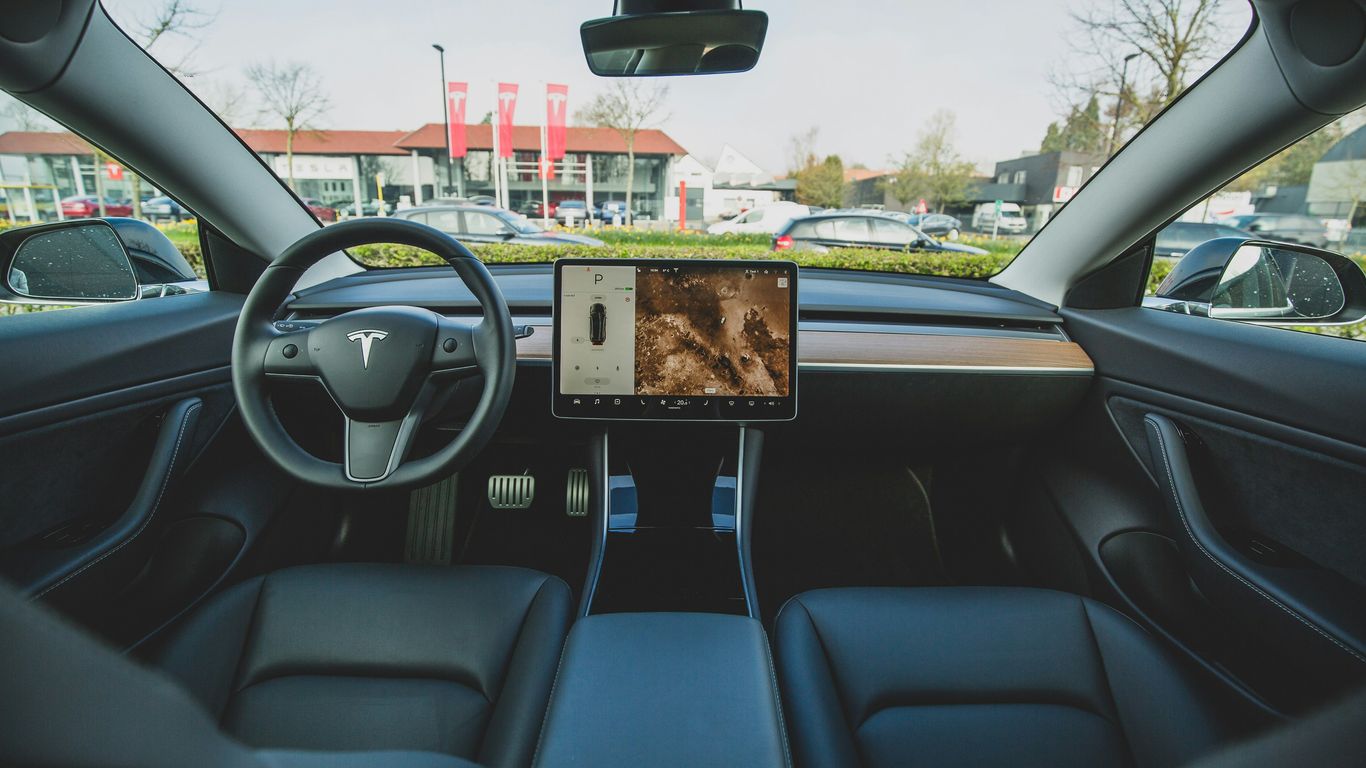
That big central screen is the command center for your Tesla, and it's pretty exposed. Installing a screen protector is a smart move to guard against scratches and smudges. Most protectors are made of tempered glass and come with an installation kit. The key is to work in a dust-free environment. Clean the screen thoroughly first, then carefully align the protector. Many kits include alignment tools to make this easier. Take your time with this step; rushing can lead to bubbles. It's a small investment that can save you from a lot of worry down the road.
Organizing Your Cabin Space
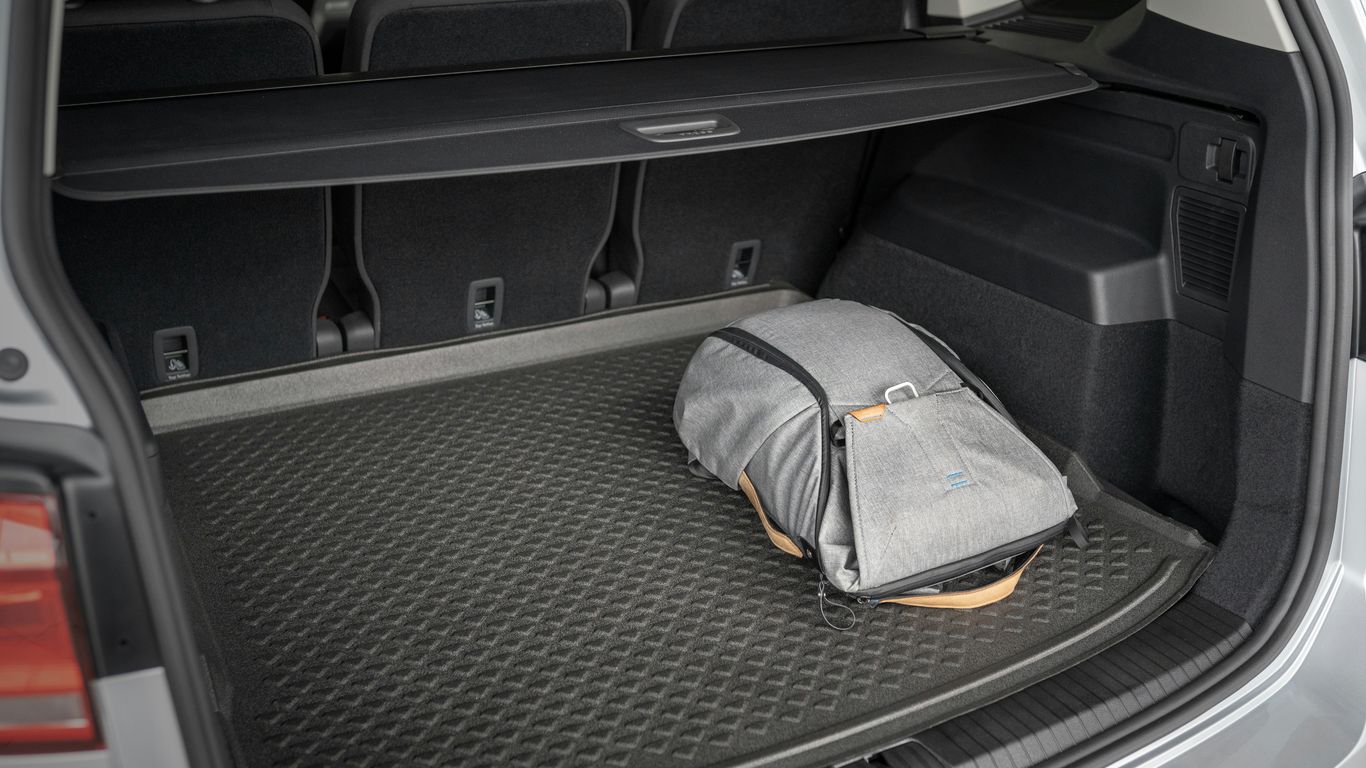
Teslas have a pretty minimalist interior, which is great, but sometimes that means storage can get a bit chaotic. Adding a few organizers can make a big difference. Think about things like console organizers that fit into the center console, or door side storage boxes. These are great for keeping smaller items like pens, sunglasses, or charging cables tidy and within reach. A trunk organizer can also be super helpful for groceries or gear. It's amazing how much better the car feels when everything has its place. You can find a lot of options designed specifically for your Tesla model.
Understanding Tesla Charging And Battery Health
Keeping your Tesla charged and its battery healthy is pretty straightforward, but there are a few things to keep in mind. It's not like a gas car where you just fill up and go; there's a bit more to it, especially if you want your battery to last as long as possible.
Optimizing Charging Habits
The best way to keep your battery happy is to avoid constantly charging it to 100% or letting it drop too low. Think of it like your phone battery – it lasts longer if you don't always drain it to zero or keep it plugged in at full charge all the time. For daily driving, charging to around 80-90% is usually recommended. You can always bump it up to 100% before a long trip, but for everyday use, keeping it in the middle range is good for long-term battery health.
Here are some general guidelines:
Daily Charging: Aim for 80-90% charge for regular use. This reduces stress on the battery. You can set this limit in your car's charging settings.
Long Trips: If you know you'll be driving a long distance, charge to 100% the night before or a few hours before you leave. The car's navigation system will also help you plan Supercharger stops.
Avoid Deep Discharges: Try not to let the battery level drop below 10-20% regularly. If you see it getting low, find a charger.
Home Charging: Charging at home overnight on a Level 2 charger is the most convenient and often the most battery-friendly option. It's slower than a Supercharger, which is better for the battery.
Portable Charger Usage
Tesla includes a mobile connector that can charge your car using a standard wall outlet (Level 1) or a 240V outlet (Level 2, with the right adapter). This is super handy if you're traveling or don't have a dedicated home charger.
Level 1 Charging: This uses a regular household outlet. It's slow – you might only get a few miles of range per hour. It's good for topping up overnight if you don't drive much, or in a pinch.
Level 2 Charging: With the correct adapter (like the NEMA 14-50), you can plug the mobile connector into a 240V outlet. This is much faster and provides a significant charge overnight. Many people install a 240V outlet in their garage for this purpose.
Portability: The mobile connector is designed to be portable. Keep it in your car for charging at hotels or friends' houses that have compatible outlets.
Remember that using the mobile connector with different outlet types requires the correct adapter. Tesla offers various adapters, and third-party options are also available. Always ensure the outlet is properly wired and rated for the load.
Battery Health Monitoring
Your Tesla is pretty smart about managing its battery. You can see the estimated range on the display, but that's just an estimate based on current conditions. To get a better idea of your battery's overall health, you can look at a few things.
Degradation: All batteries degrade over time, and Teslas are no different. You might notice a slight decrease in maximum range as the car ages. This is normal.
Service Menu: Some owners check the battery health through the car's service menu, though Tesla doesn't make this super obvious. You can often find guides online for accessing this information, which might show the battery's current capacity compared to its original capacity.
App Data: The Tesla app can give you charging history and sometimes provides insights into battery performance. Third-party apps also exist that can pull more detailed battery data if you're really curious.
Generally, if you follow the charging advice and avoid extreme conditions, your Tesla's battery should serve you well for many years and miles. It's designed to be robust.
Software Updates And Voice Command Mastery
Keeping your Tesla up-to-date and learning how to use its voice commands can really make a difference in your daily driving. Tesla is known for its constant software updates, which often add new features or improve existing ones. It's a good idea to make sure your car is connected to Wi-Fi when possible so these updates can download and install smoothly.
Navigating Over-The-Air Updates
Tesla's over-the-air (OTA) updates are pretty neat. They're like getting a software upgrade for your phone, but for your car. You'll usually get a notification on your car's screen when an update is ready. You can choose when to install it, often overnight, so you don't lose driving time. Some updates are small, fixing bugs or tweaking performance, while others can bring significant new capabilities. It's always worth checking the release notes to see what's new.
Leveraging Voice Commands Effectively
Voice commands are a fantastic way to control your car without taking your hands off the wheel. You can do a lot of things just by speaking. Need to adjust the temperature? Just say, "Set temperature to 70 degrees." Want to find a specific song or artist? "Play 'Bohemian Rhapsody' by Queen." You can even ask it to navigate to a destination. Learning a few key commands can save you a lot of time and keep your focus on the road. For a full list of what you can do, check out the Tesla voice commands guide.
Here are some common commands:
Navigation: "Navigate to [address]" or "Find the nearest Supercharger.
Climate Control: "Turn on seat heater" or "Set fan speed to 5."
Media: "Turn up the volume" or "Switch to FM radio."
General: "Open the glove box" or "Call [contact name]."
Troubleshooting Software Glitches
Sometimes, software can act up. If you notice something strange after an update, or if a feature isn't working right, a simple restart can often fix it. You can usually do this through the car's touchscreen menu. Go to Controls > Service > Power Off. Wait a couple of minutes, and then press the brake pedal to turn it back on. If the issue persists, it might be worth checking Tesla's support resources or contacting service. Most minor glitches are resolved with these updates or a quick reboot.
Accessory Integration For Enhanced Ownership
So, you've got your Tesla, and it's pretty sweet right out of the box. But what if you want to make it even better? That's where accessories come in. Think of them as the cherry on top, or maybe the turbo boost for your daily drive. They can make your car more comfortable, more organized, or just plain cooler. The right accessories can really change how you feel about your car.
Choosing The Right Accessories
Okay, so you're ready to accessorize. But where do you even start? There are tons of options out there, from floor mats to spoilers to fancy charging cables. It can get a little overwhelming, honestly. My advice? Think about what you actually need or what would make your life easier.
Organization: If your car tends to get cluttered, look into things like door pocket organizers or center console trays. These can make a big difference in keeping things tidy.
Protection: Teslas aren't cheap, so protecting your investment makes sense. Screen protectors are a popular choice, and all-weather floor mats can save your carpets from spills and dirt.
Comfort: Things like neck pillows or upgraded seat covers can make longer drives much more pleasant.
Style: Maybe you want your Tesla to stand out a bit. Spoilers, custom lighting, or even just a nice set of mud flaps can change the look.
It's also worth checking out reviews from other Tesla owners. Sites that focus on these kinds of products often have real-world feedback, which is super helpful. You can find a lot of good options for your Model 3 or Model Y on sites dedicated to Tesla parts.
Installation Guides For Common Upgrades
Some accessories are super simple to install – like a screen protector or a phone mount. Others might take a bit more effort. For example, installing a spoiler or a new set of floor mats is usually pretty straightforward. You just need to make sure you have the right tools and follow the instructions carefully.
Here's a quick look at a few common installs:
Screen Protectors: These usually just peel and stick. Make sure you clean the screen really well first to avoid any bubbles or dust. It's a quick job that can save your touchscreen from scratches.
Floor Mats: Most just drop into place. Make sure you get the ones designed for your specific Tesla model and year.
Spoilers: These often attach with adhesive tape or sometimes require drilling. If you're not comfortable with that, it might be worth paying a shop to do it.
If you're unsure about installing something, don't be afraid to look for video guides. Many YouTubers have great step-by-step tutorials that show you exactly what to do. It's way better than guessing and potentially messing something up.
Maximizing Functionality With Accessories
Accessories aren't just about looks or convenience; some can actually add new features to your car. For instance, some aftermarket systems can add ambient lighting that changes color, controlled by an app. Others might add extra USB ports or even a small refrigerator for your drinks on a long trip. You can even get accessories that let your Tesla act as a power source for other devices or even your home, a feature known as Tesla Powershare.
Think about how you use your car most often. If you're always on the go, a portable vacuum cleaner or a good car cleaning kit might be a smart buy. If you travel with pets, a seat cover is a must. The goal is to make your Tesla work better for you.
When you're looking at accessories, always check compatibility. Not everything fits every Tesla model or year. Also, consider the quality. A cheap accessory might seem like a good deal, but if it breaks quickly or doesn't work well, you'll just end up buying another one. It's often better to spend a little more on something that's built to last and does the job right.
Make your car ownership even better by adding cool accessories. These add-ons can make your Tesla more useful and stylish. From keeping your car clean to making it easier to use, there's something for everyone. Ready to see how you can improve your ride? Visit our website today to explore all the options!
Wrapping It Up
So, there you have it. Keeping your Tesla in good shape doesn't have to be a huge chore. Most of what you'll do involves simple checks and keeping things clean, just like any other car. And for those little upgrades or fixes, there are tons of resources out there, like the ones we've talked about, to help you out. Owning a Tesla is pretty straightforward, and with a little attention, you'll be cruising smoothly for a long time to come. Happy driving!
Frequently Asked Questions
How often should I check my Tesla's tire pressure and get them rotated?
It's a good idea to check your tire pressure at least once a month and before any long trips. For rotations, most Tesla owners find that every 6,000 to 10,000 miles works well. This helps your tires wear evenly, making them last longer and keeping your ride smooth.
Do Teslas need regular oil changes like gas cars?
Nope, Teslas are electric, so they don't use oil like traditional cars! This means you can skip those messy, frequent oil changes. However, you'll still want to keep an eye on other fluids like brake fluid and replace the cabin air filter as recommended.
What's the best way to keep my Tesla's paint looking new?
Washing your Tesla regularly with gentle soap and water is key. After washing, drying it carefully with a microfiber towel prevents water spots. For extra protection, you might consider a ceramic coating or paint protection film, which acts like a shield against scratches and dirt.
How do I make sure my Tesla's battery stays healthy?
Charging your Tesla to around 80% for daily use is generally best for long-term battery health. Avoid letting it drop to very low levels too often. Using the Tesla app to monitor charging and battery status can also give you peace of mind.
Are Tesla's software updates important?
Absolutely! Tesla's software updates are like giving your car a tune-up and adding new features. They often arrive wirelessly, so just make sure your car is connected to Wi-Fi. These updates can improve performance, add new cool functions, and even fix small issues.
Can I use any charging station with my Tesla?
For Tesla's Supercharger network, you're all set! If you want to use other public charging stations, you might need a charging adapter. Tesla also offers portable chargers that can plug into regular outlets for convenient charging at home or on the go.


Comments