
Tesla Hidden Features Videos You Probably Missed
So, you've got a Tesla, huh? Pretty cool. But are you really getting everything out of it? Most people just scratch the surface, using it like any other car. But there's a whole world of tricks and settings most owners never even find. That's where these Tesla hidden features videos come in. They're not just about showing off; they're about making your car work better for you, whether it's saving you time, making your trips smoother, or just adding a bit of fun. Let's check out some of the best ones you might have missed.
Key Takeaways
Discover how to get more out of your Tesla's driving assist features that go beyond the basics.
Learn about the entertainment system's lesser-known functions and how to use them effectively.
Find out smart ways to manage your car's charging and battery life for better performance.
Explore model-specific tricks and tips for Model 3, Y, S, X, and even the Cybertruck.
Stay updated with the newest features and hidden gems revealed through recent software updates and community discoveries.
Mastering Your Tesla: Essential Hidden Features Videos
Getting a new Tesla is exciting, but there's a lot to learn. It's not just about driving; it's about understanding all the tech packed inside. Luckily, there are tons of videos out there that can help you get the most out of your car. These aren't just quick tips; they're deep dives into features you might not even know exist.
Unlocking Advanced Autopilot Capabilities
Autopilot and Full Self-Driving (FSD) can seem complicated at first. Videos dedicated to these systems break down how they work, from basic lane keeping to more advanced features like Navigate on Autopilot. You'll learn about setting preferences, understanding the visualizations on your screen, and what limitations to be aware of. It's important to watch these to use the system safely and effectively. Many videos also cover how to properly engage and disengage these features, which is key for new drivers.
Navigating Tesla's Entertainment System Secrets
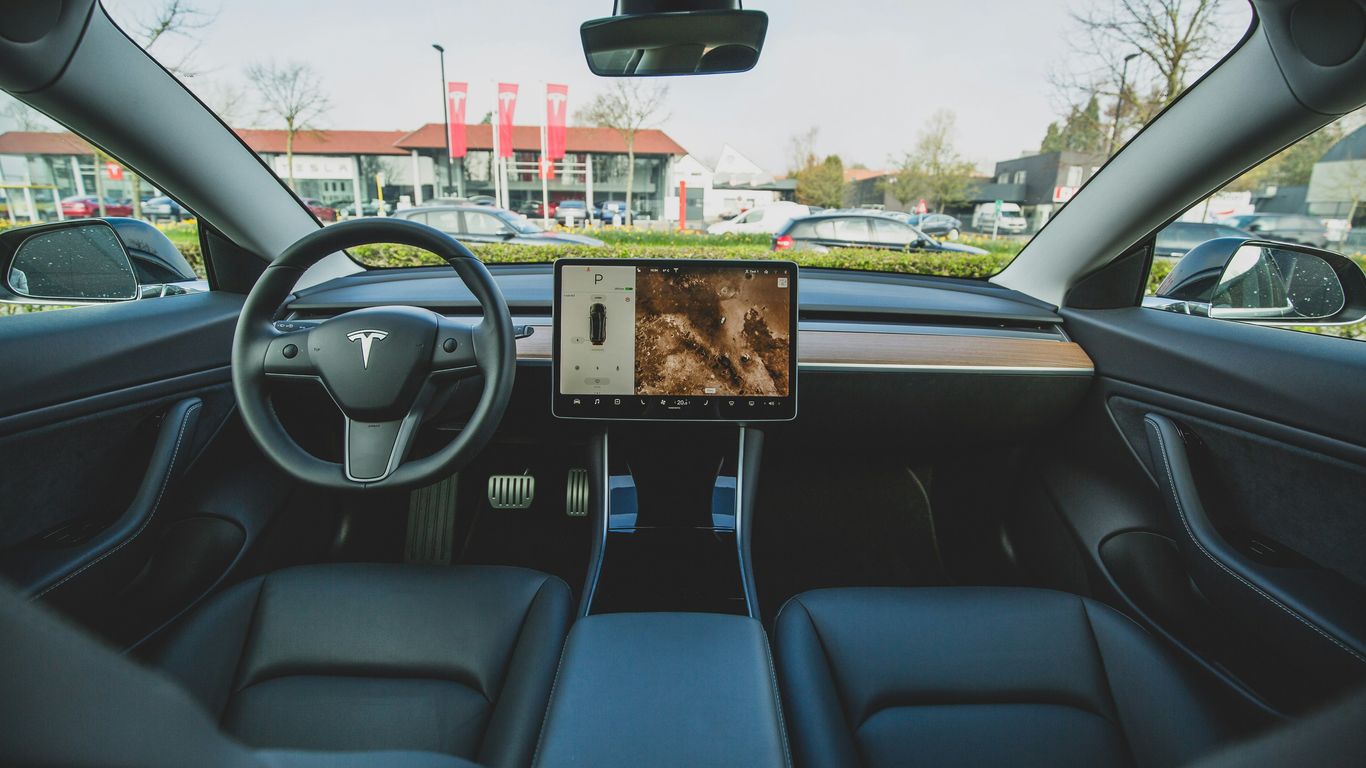
Beyond music streaming and games, Tesla's entertainment system has some hidden gems. Think about features like the built-in web browser, the ability to watch videos when parked, or even using the car as a karaoke machine. Videos can show you how to access these, customize your media experience, and even connect external devices. It's a whole world of fun and utility right on your dashboard.
Optimizing Charging and Battery Management
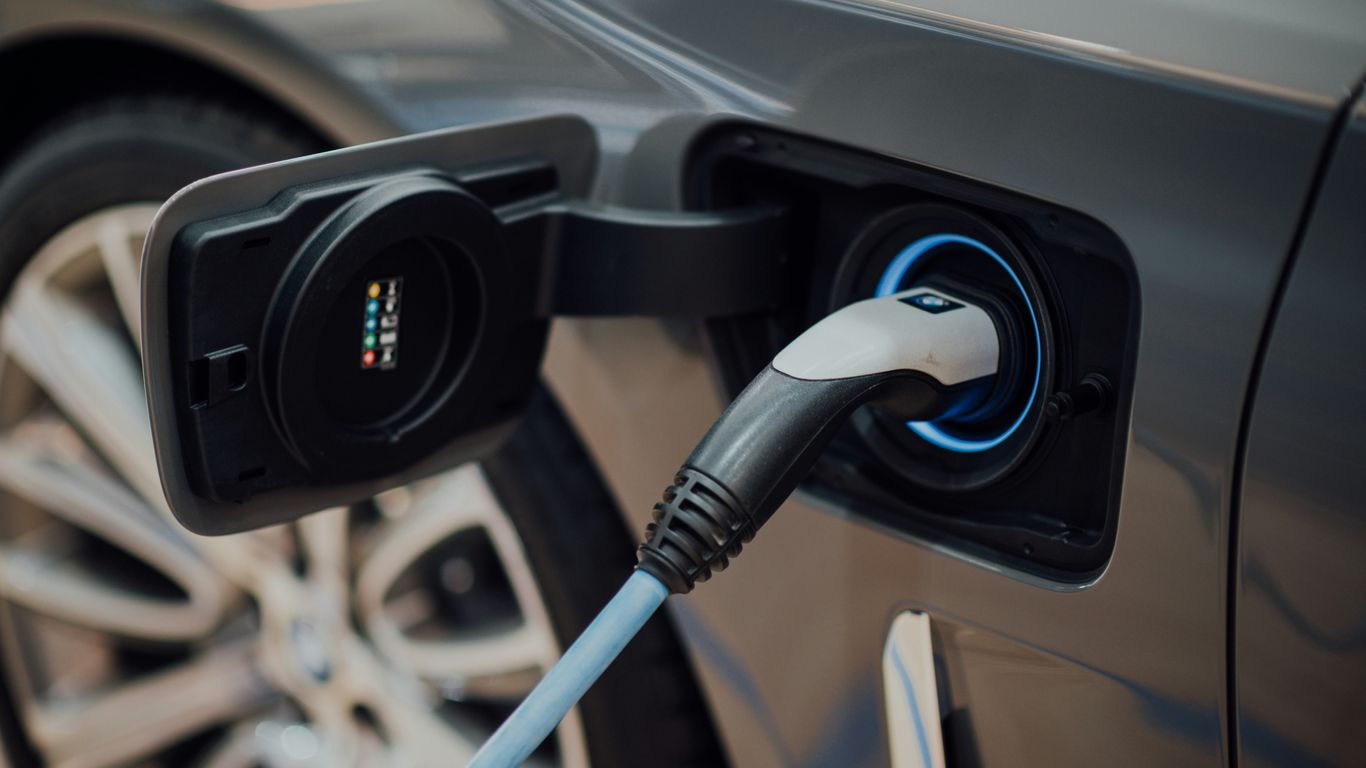
Understanding how to charge your Tesla is pretty straightforward, but optimizing it is another story. Videos can explain the best times to charge, how to use charging schedules, and the differences between various charging methods. You'll also find tips on battery health, like avoiding extreme charge levels for daily use and understanding how temperature affects range. This knowledge can save you time and help maintain your battery's long-term performance. Check out these essential tutorial videos to get started.
Beyond the Basics: Deep Dives into Tesla Functionality
So, you've got your Tesla, and you're past the initial 'wow' factor. Now what? It's time to really get to know your car, beyond just the obvious stuff. This section is all about digging into the features that make your Tesla truly yours and making your daily drives smoother.
Customizing Your Tesla's Interior and Exterior
Your Tesla is a blank canvas, and there are tons of ways to make it fit your style and needs. Think beyond just picking a color. We're talking about practical additions that can make a big difference. For instance, adding organizers to your door pockets or center console can seriously cut down on clutter. It's amazing how much more spacious the cabin feels when everything has its place. And for the exterior, things like mud flaps can protect your paint from road debris, especially if you drive on less-than-perfect roads. It’s about making the car work better for you.
Here are a few ideas to get you started:
Interior Organization: Look into console organizers, glove box trays, and door pocket inserts. These small additions can make a huge difference in keeping your cabin tidy.
Exterior Protection: Consider mud flaps, especially for the rear wheels, and paint protection film for high-impact areas.
Comfort Upgrades: Things like neck pillows can make longer drives much more comfortable, even when Autopilot is engaged.
Leveraging Voice Commands for Seamless Control
Tesla's voice command system is pretty neat, and most people probably only use a fraction of what it can do. Seriously, learning these commands can save you a ton of time and keep your eyes on the road. Instead of fumbling with the touchscreen, you can just ask your car to do things. Want to change the temperature? Ask. Need to find a specific song? Ask. It's all about making your interaction with the car more natural. You can even send texts or get directions just by speaking. It’s a really useful feature that many owners overlook.
Some common commands include:
Navigate to [address]
"Play [song/artist]"
"Set temperature to [degrees]"
"Open the trunk"
Understanding Tesla's Safety and Security Features
Tesla puts a lot of emphasis on safety, and there are features built-in that you might not even think about until you need them. The Sentry Mode is a big one – it uses the car's cameras to record activity around the vehicle when parked. It's like having a security guard for your car. Then there are the advanced driver-assistance systems, which are more than just cruise control. They're designed to help prevent accidents. Knowing how these systems work and how to use them properly is key to getting the most out of your Tesla's safety tech. It’s good to know that your car is looking out for you, even when you're not in it. This kind of technological differentiation is important for businesses aiming to stand out [fa51].
The safety systems in Teslas are designed to be proactive, not just reactive. Features like automatic emergency braking and lane keeping assist work together to create a safer driving environment. Understanding these systems means you can trust them more and focus on enjoying the drive.
Tesla Model-Specific Hidden Gems Revealed
When you dig into the quirks and special tricks across Tesla's model line-up, it feels like discovering secret cheat codes for your car. Each model—whether it's a Model 3, Y, S, X, or the eye-catching Cybertruck—comes with its own basket of low-key features. Let's get specific.
Model 3 and Model Y Undocumented Tricks
Tesla Model 3 and Model Y owners swear by a few hidden gems that most people won't find unless they watch the right videos:
Secret storage spots beneath the main screen and in the trunk side walls can make road trips way less stressful for clutter-prone drivers.
The screen tilt feature (recent on some Model 3 Highland and newer Y models) lets you angle the center display for either the driver or passenger, perfect for movie mode at a Supercharger.
Party tricks like 'Caraoke' (karaoke in your car), dedicated theater mode shortcuts, and direct dashcam video replay right on the console come embedded—but almost nobody points them out in the manual.
Function | Model 3 | Model Y |
|---|---|---|
Center Screen Tilt (Highland) | Yes | Yes |
Caraoke | Yes | Yes |
Side Wall Storage | Yes | Yes |
A quick way to impress your friends: Switch on the digital easter eggs menu and watch the rainbow road effect or challenge them to a fart noise contest with the "Emissions Testing Mode." Tesla humor is an experience in itself.
Model S and Model X Advanced Features
Older siblings get their perks, too. The Model S and Model X include:
Bioweapon Defense Mode: Not just marketing fluff, this maxes out cabin filtration when you're stuck behind an old diesel in traffic.
Route-based Battery Conditioning for faster charging on long trips—it kicks in automatically but can be forced by starting navigation to a Supercharger, even while stationary.
Falcon Wing door configurations in the X can be tuned for opening height, which comes in handy in tight garages.
Don't forget:
Voice-activated glovebox opening—no fumbling needed.
Adjustable rear screens for streaming (newer S/X).
Friendlier dog mode visuals, with the actual cabin temperature shown large on display so passersby won't panic.
Cybertruck's Unique Capabilities Explored
Cybertruck's hidden tricks probably have the most "wait, what?" potential. Beyond the obvious bulletproof windows and mad styling, here are a few less-talked-about features:
Stealth Mode: Makes the exterior quieter by adjusting some active systems when driving at night in neighborhoods.
Power outlets in the bed for plugging in everything from laptops to electric grills—tailgating just got easier.
Versatile air suspension presets, including one-touch access to lower or raise the truck for loading ramps, off-roading, or tight parking areas.
Here's a quick look at practical Cybertruck features:
Hidden compartment in the bed under the cargo area for emergency gear.
Built-in onboard compressor for filling up bike tires or inflatable kayaks.
The digital interface changes to match the rugged style—including unique Cybertruck-only interface themes and sounds.
If you've ever wondered what makes each Tesla model more than just an EV, discovering these oddball features can almost make the learning curve fun—not just something to check off your list.
Maximizing Your Tesla Ownership Experience
So, you've got your Tesla, and you're starting to figure out the basics. But there's always more, right? This section is all about making your day-to-day with your electric ride even better, whether you're just running errands or heading out on a big trip.
Hidden Features for Road Trips and Commuting
Long drives and daily commutes can be made so much smoother with a few clever tricks. Think about how you can use your Tesla's built-in features to your advantage. For instance, did you know you can pre-condition your cabin while it's still plugged in? This saves battery and makes sure you start your journey in comfort. Also, planning charging stops along your route is a breeze with the car's navigation system, which shows you Supercharger availability and expected wait times. It's all about making those longer journeys feel less like a chore and more like an adventure.
Route Planning: Use the in-car navigation to plan trips, and it will automatically factor in charging stops. You can even see Supercharger availability in real-time.
Cabin Preconditioning: Schedule or manually activate climate control while plugged in to save battery range.
Sentry Mode Optimization: Adjust Sentry Mode settings to conserve power when parked for extended periods, especially if you don't need constant surveillance.
Tips for Maintaining and Cleaning Your Tesla
Keeping your Tesla looking sharp and running smoothly doesn't have to be complicated. A lot of owners focus on the tech, but the physical car needs love too. Simple things like using the right cleaning products can make a big difference. For the exterior, a good quality microfiber cloth and a pH-neutral car wash soap are your best friends. Inside, consider all-weather floor mats; they're a lifesaver if you live somewhere with messy weather or have kids. They fit perfectly and are super easy to clean. Protecting your touchscreen with a tempered glass protector is also a smart move to avoid scratches and keep it looking new for years. You can find a great selection of these protective accessories here.
Integrating Third-Party Accessories Effectively
While Tesla makes some great accessories, the aftermarket is booming with clever additions. From organizers that fit perfectly into your center console or door pockets to phone mounts and even upgraded interior lighting, there's a lot out there. The key is to choose items that genuinely add value and don't just clutter your car. Look for accessories specifically designed for your Tesla model to ensure a good fit and finish. Things like trunk mats or organizers can make a huge difference in keeping your car tidy, especially on longer trips or when hauling groceries. It's about personalizing your space and making it work better for you.
Choosing the right accessories means looking beyond just aesthetics. Think about how an item will improve your daily use of the car. Does it solve a problem you've encountered? Does it make a task easier? Prioritize function and fit, and you'll be much happier with your choices in the long run.
Here's a quick look at some popular accessory types:
Interior Organizers: Center console trays, glove box organizers, and door pocket inserts help keep small items tidy.
Protective Gear: Screen protectors, floor mats, and trunk liners guard against wear and tear.
Comfort Enhancements: Neck pillows and seat covers can make longer drives more pleasant.
The Latest Tesla Hidden Features Videos You Need to See
Keeping up with Tesla is a full-time job, right? The company is always tweaking things, pushing out software updates, and sometimes, just dropping in fun little surprises. This section is all about the newest discoveries, the stuff that's just come out or that people are only now starting to notice. We're talking about the latest tricks and tips that can make your Tesla experience even better.
Software Update Secrets and Easter Eggs
Every time Tesla pushes a new software update, it's like Christmas morning for owners. Sometimes, these updates bring big changes, but often, there are smaller, hidden features or even fun 'Easter eggs' that aren't widely advertised. We'll explore how to find these hidden gems, from new display options to quirky sound effects. It's amazing what you can uncover with a little digging.
New Feature Discoveries from Recent Videos
This is where we highlight the freshest finds. Think of it as a rapid-fire update on what's new and exciting. We'll cover features that have recently been spotted or explained in detail by the Tesla community. This could be anything from a more efficient way to use the navigation to a clever shortcut for climate control. The goal is to get you up to speed on the very latest Tesla has to offer, straight from the source and from fellow drivers.
Community-Sourced Hidden Tesla Features
Sometimes, the best discoveries come from the community itself. People are constantly sharing their own tips and tricks online, and we're here to round up the most interesting ones. This section is dedicated to those 'aha!' moments shared on forums, social media, and video platforms. It’s a great way to see what other Tesla owners are doing and how they're making their cars work better for them. We'll look at practical additions and clever workarounds that might not be in any official manual.
Want to know about the coolest new tricks for your Tesla? We've got videos showing off the latest hidden features you'll want to try. These cool updates can make your driving experience even better. Don't miss out on making your Tesla even more awesome! Visit our website to see all the amazing videos and learn how to unlock your car's full potential.
Wrapping It Up
So there you have it. We've gone over some pretty neat tricks and features for your Tesla that you might not have noticed before. It's amazing how much these cars can do, and sometimes you just need a little nudge to find out. Hopefully, this has given you some ideas to try out in your own car. There's always more to learn, and that's part of the fun of owning a Tesla. Keep exploring, keep experimenting, and enjoy your ride!
Frequently Asked Questions
What are some hidden features in Tesla cars?
Tesla cars have many cool hidden features! Some examples include "Easter eggs" like the whoopee cushion sound, the ability to draw on the screen, or even playing games. There are also practical hidden features like automatically opening the charge port or using specific voice commands that aren't obvious at first.
How do I find these hidden features?
The best way to discover these hidden gems is by watching videos made by Tesla enthusiasts. Many creators share tutorials and walkthroughs that show you exactly how to access and use these features. Exploring your car's menus and trying out different voice commands can also reveal some surprises.
Are these hidden features safe to use?
Most hidden features are completely safe and just add fun or convenience to your driving experience. Features like advanced Autopilot settings or voice commands are designed to be used safely, but it's always important to stay focused on the road. Never try to access features that could distract you while driving.
Do all Tesla models have the same hidden features?
While many core features are similar across different Tesla models (like Model 3, Model Y, Model S, and Model X), some hidden features or "Easter eggs" might be specific to a certain model or even a particular software version. New models, like the Cybertruck, will also have their own unique set of special functions.
Can I add hidden features through software updates?
Yes! Tesla frequently releases over-the-air software updates that can add new features, improve existing ones, and sometimes even introduce new hidden "Easter eggs." Keeping your car's software up-to-date is a great way to get access to the latest capabilities.
Where can I learn about accessories that enhance Tesla features?
Many videos and websites focus on accessories that work well with Tesla's features. You can find things like custom organizers for better storage, screen protectors for the display, or even upgraded sound systems. Checking out dedicated Tesla accessory channels or websites can give you great ideas.


Comments