
10 Things You MUST Do After Getting Your Tesla in 2026
So, you've just picked up your new Tesla, or maybe you're about to. Before you drive off thinking you'll figure everything out later, hold up. There are a few key steps most people skip, and these are the same things that can end up costing you money, affecting your battery's health, or just making the whole ownership experience less than ideal. Stick around, because I'm going to show you one setting that almost nobody touches, but it's a major reason people complain about range and battery issues. And guess what? It takes less than 30 seconds to fix.
Set Up The Tesla App Properly
Most folks just install the Tesla app, log in, and think they're done. But you're not. Once you're logged in, go into the app settings. Make sure notifications are turned on for everything, especially charging alerts, Sentry Mode notifications, and software updates. If you miss these, you won't know why your car didn't charge overnight or if something's up. Also, double-check your phone key access. Some people still use the key card because their phone key disconnects randomly, often because Bluetooth permissions weren't fully set up. Think of this app as your car's brain – treat it that way.
Create Driver Profiles The Right Way
Driver profiles are more than just seat and mirror positions these days. In 2026, they control how the steering feels, how the brakes respond, suspension settings, climate control, and even how Autopilot behaves. If you don't customize this, you're basically driving a rental car. This is even more important if multiple people drive the car. I've seen couples argue over seat positions when adjusting it takes about 20 seconds. Pro tip: Once you get your profile just right, back it up to your Tesla account. If your car ever resets or you get a new Tesla, your profile will be there for you.
Key Takeaways
App Notifications: Ensure all notifications are enabled in the Tesla app for charging, Sentry Mode, and software updates.
Phone Key: Verify Bluetooth permissions are fully enabled for reliable phone key access.
Driver Profiles: Customize steering feel, braking, climate, and Autopilot settings within driver profiles.
Profile Backup: Save your customized driver profile to your Tesla account for easy transfer to new vehicles.
Fix Your Charging Settings Immediately
This is where many new owners make a mistake. When you get your Tesla, the default charging limit might not be the best for daily use. Charging to 100% every night just in case can actually hurt your battery's long-term health. For everyday driving, most Teslas are happiest around 70-80%. Save the 90% or 100% charges for longer road trips. Also, check where your car is allowed to charge. Set your home as a trusted location and make sure scheduled charging is actually turned on. You don't want to wake up to a nearly dead battery.
Upgrade Your Home Charging Setup
You don't need a super fancy wall charger to own a Tesla, but you do need a reliable setup. If you're still using a basic outlet, that's okay for a short time. But at the very least, check the condition of your outlet and your cables. Loose connections or cheap extension cords can lead to melted outlets. A clean cable organizer or a wall mount can make a big difference – it's not about looks, it's about practicality. Having a convenient home charging setup is one of the biggest reasons people say they'd never go back to gas.
Protect The Interior Before It Looks Worn
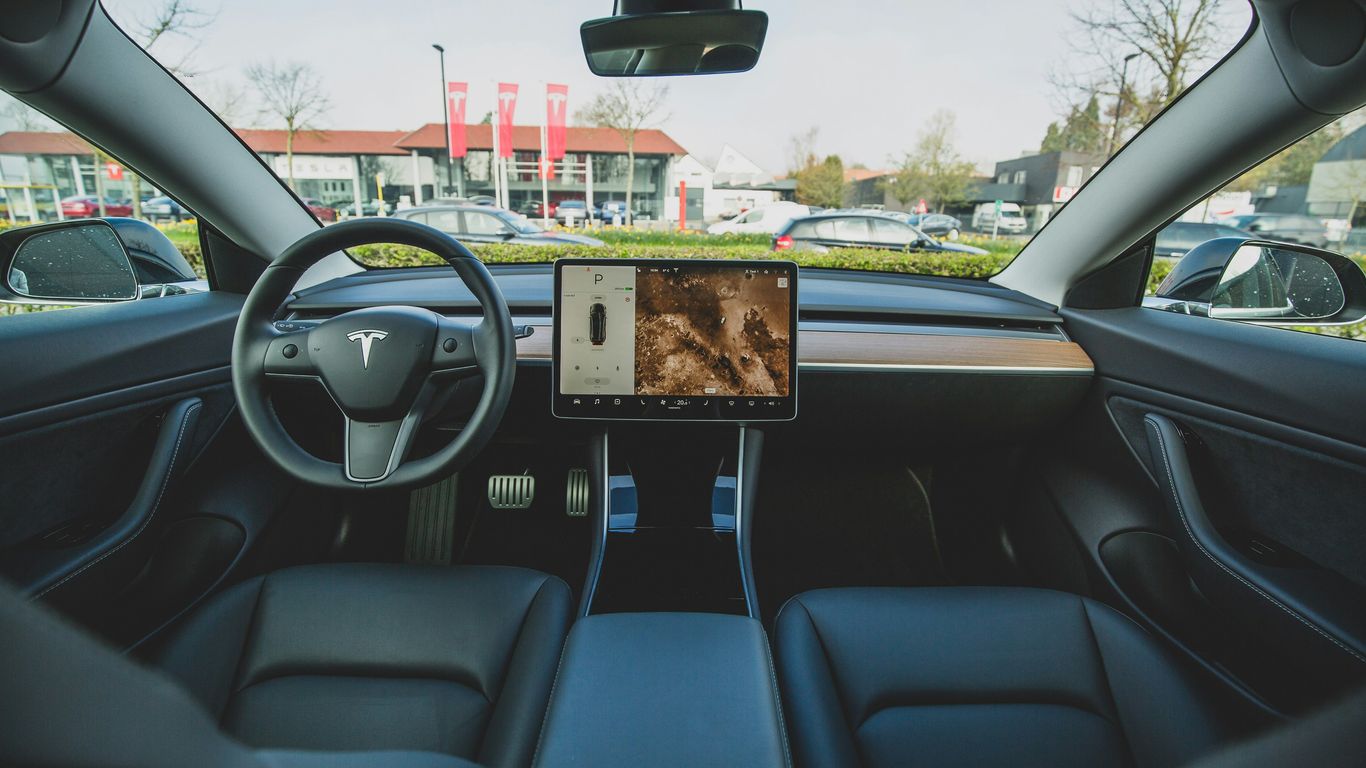
Everyone talks about paint protection, but the interior can start showing wear and tear much faster. Things like the seat bolsters, the center console, and the armrests are the first spots to look tired. Even a simple center console organizer can stop things from sliding around, scratching, and making noise. It's best to protect the interior early on because once you see wear, it's usually too late to fix it easily.
Set Up Sentry Mode Without Killing Your Battery
Sentry Mode is a great feature, but it can also drain your battery quickly if it's not set up correctly. By default, Sentry Mode can stay active in places where it's not needed, like your home garage. Go into your settings and exclude trusted locations like home and work. This alone can save you a few percentage points of battery overnight. Also, make sure you're using a reliable storage device for the recordings. A cheap USB drive can fail, and then you won't have footage when you actually need it.
Connect To Wi-Fi & Actually Let Updates Install
Tesla updates aren't just about adding games anymore. In 2026, updates can improve efficiency, charging, Autopilot performance, and even how the brakes feel. But if your car isn't consistently connecting to Wi-Fi, you're missing out. Make sure your home Wi-Fi reaches where you park. Even a simple Wi-Fi extender can help. And when an update is available, let it install. Don't be the person who ignores updates for months and then wonders why their car doesn't have the latest features you see online. Updates are a big part of the Tesla ownership experience.
The Range Problem Everyone Gets Wrong
This is the one I mentioned earlier. If you think your Tesla has lost range, there's a good chance nothing is wrong with the battery. Most people leave their display set to show miles instead of percentage. Miles shown fluctuate constantly based on your recent driving, the temperature, elevation, and speed. So, one day you see 310 miles, the next day it's 285, and you think something's broken. Switch it to percentage. Percentage is stable, predictable, and honest. Miles are just an estimate, and not a very good one. Once you make this change, pair it with realistic expectations. Cold weather, short trips, and aggressive acceleration all affect efficiency. It's normal. The battery didn't suddenly degrade. This one change fixes about 80% of range anxiety complaints.
Learn How It Likes To Be Driven
This might sound obvious, but Teslas reward smooth driving. The more you understand regenerative braking, gentle acceleration, and maintaining a consistent speed, the better your efficiency will be without even trying. Your first few weeks are a learning curve, and that's perfectly fine. Take a short road trip. Use the navigation. Let the car plan charging stops. Learn how Supercharging actually works instead of guessing. The more you drive it, the more confident you'll feel, and the less you'll worry about things that don't really matter.
So, if you just got your Tesla, do these things right away, not six months from now after you've already developed bad habits. Everything mentioned, including comfort upgrades, is linked in the description below. If this video helped you out, please hit the like button – it really helps more Tesla owners find this information. And if you want more real-world Tesla ownership tips, make sure you're subscribed. I'll see you in the next one.



Comments