
The Ultimate Guide to Tesla Apps and Software
So, you've got a Tesla, huh? That's pretty cool. Now, how do you really get the most out of it? It's not just about driving; it's about the whole tech experience. This guide is here to help you figure out all the apps and software stuff. We'll look at what's out there, how to use your voice to control things, and keep your car up-to-date. Plus, we'll touch on some accessories that can make your ride even better. Think of this as your go-to Tesla apps guide to make owning your electric car easier and more fun.
Key Takeaways
Explore a variety of third-party apps to improve your Tesla's driving and performance.
Understand how to use voice commands for safer, hands-free control of your vehicle.
Learn about managing Tesla's software updates and new features.
Discover accessories that can personalize and add convenience to your Tesla.
Find resources like video guides and tutorials to help you master your Tesla ownership.
Mastering Your Tesla With Essential Apps
Beyond the official Tesla app, there's a whole world of third-party applications that can really make your electric vehicle experience even better. These apps are built by enthusiasts and developers who want to add extra functionality or convenience that might not be in the stock software. Think of them as upgrades for your car's brain, tailored to specific needs.
Discovering Third-Party Tesla Apps
Finding these apps can feel like a treasure hunt, but it's worth it. Many focus on specific areas like charging management, trip planning, or even just adding some fun features. You can find them on various online platforms and forums dedicated to Tesla owners. It's important to check reviews and compatibility before downloading anything. Some popular categories include:
Charging Apps: Help you find charging stations, track your charging costs, and manage your charging schedule.
Navigation & Trip Planners: Offer more advanced routing options, including detailed route analysis and integration with charging stops.
Vehicle Monitoring: Provide deeper insights into your car's battery health, tire pressure, and other performance metrics.
Entertainment & Customization: Add new ways to interact with your car's media system or customize display settings.
Enhancing Your Driving Experience
These apps can seriously change how you interact with your Tesla on a daily basis. For example, apps that offer more detailed energy consumption data can help you become a more efficient driver, potentially extending your range. Others might provide real-time traffic information that's more granular than what's built-in, helping you avoid delays. Some even add features like custom horn sounds or ambient lighting controls, letting you personalize your ride beyond the factory settings. It's all about making your time behind the wheel more enjoyable and productive. You can find a lot of great information and curated selections on sites like TeslaAppHub.
Optimizing Vehicle Performance
While Tesla's software is already quite advanced, third-party apps can sometimes offer a more detailed look at your car's performance. You might find apps that track your battery's degradation over time, giving you a clearer picture of its long-term health. Others can help you optimize charging habits to prolong battery life, especially if you're charging frequently. Some apps even provide diagnostic information that can help you understand potential issues before they become serious problems. It's like having a personal mechanic in your pocket, keeping an eye on your car's vital signs.
Navigating The Tesla App Ecosystem
So, you've got your Tesla, and you're ready to explore all the cool tech it offers. Beyond the car's built-in features, there's a whole world of apps that can make owning a Tesla even better. It can feel a bit overwhelming at first, trying to figure out what's out there and what actually works. But don't worry, we'll break it down.
iOS And Android Compatibility
First things first, you'll want to know if the apps you're interested in will work with your phone. The good news is that most of the popular Tesla-specific apps are available for both major mobile platforms: iOS (for iPhones) and Android. This means whether you're team Apple or team Google, you're likely to find apps that fit your needs. It's always a good idea to check the app store listing or the developer's website just to be sure, but generally, the ecosystem is pretty open.
Curated App Selections
With so many apps out there, how do you find the good ones? Many websites and communities have started curating lists of recommended apps. These aren't just random picks; they're often apps that have been tested and reviewed by other Tesla owners. You'll find apps that help with things like:
Charging Management: Tracking your charging sessions, finding nearby chargers, and optimizing charging schedules.
Vehicle Monitoring: Keeping an eye on battery status, tire pressure, and other key vehicle metrics remotely.
Navigation and Travel: Advanced route planning, finding points of interest, and even managing road trip logistics.
Entertainment and Customization: Apps that add new features to your car's infotainment system or allow for custom lighting and sound setups.
User Reviews And Ratings
Just like with any app you download, user reviews and ratings are super important. Before you download something, take a minute to see what other Tesla owners are saying. Are people having trouble with it? Does it do what it claims? A quick look at the star ratings and read a few comments can save you a lot of time and potential frustration. Look for apps with a consistent stream of positive feedback. Sometimes, a slightly lower rating might be due to a specific bug that's already been fixed, or it could indicate a more serious issue. It's all about getting a feel for the app's reliability and usefulness from the people who actually use it every day.
Leveraging Voice Commands For Control
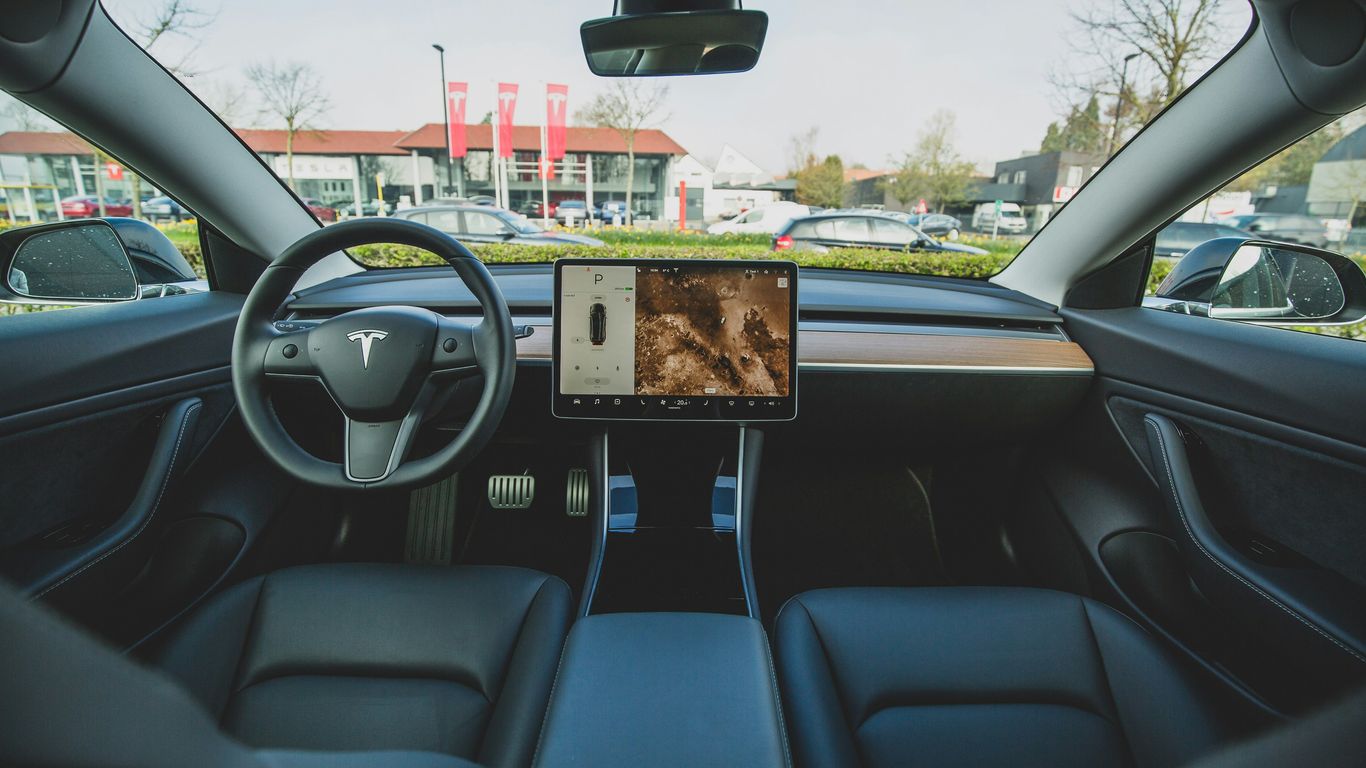
Talking to your car might seem a bit futuristic, but with Tesla, it's just part of the daily drive. Voice commands are built right in, and they're pretty handy for keeping your eyes on the road. You can control a surprising amount of your car's functions just by speaking. It's not just about asking for directions; you can adjust the temperature, change the music, or even send a quick text without taking your hands off the wheel.
Understanding Tesla Voice Commands
Tesla's voice command system is designed to understand natural language, which makes it feel pretty intuitive. You don't need to memorize specific phrases, though knowing a few common ones can speed things up. Think of it like talking to a helpful assistant. The system is always learning and improving with software updates, so what it can do today might be even better tomorrow. For a good starting point, check out the examples of voice commands available.
Here are some common categories of commands:
Navigation: "Navigate to the nearest Supercharger," "Show me directions home," "Avoid highways.
Climate Control: "Set temperature to 70 degrees," "Turn on seat heater," "Defrost the windshield."
Media: "Play some jazz music," "Turn up the volume," "What's this song?"
Vehicle Settings: "Open the charge port," "Turn on Sentry Mode," "Close the windows."
Hands-Free Operation For Safety
The biggest win with voice commands is safety. When you're driving, your primary focus should be on the road. Fiddling with the touchscreen to change the radio station or input a new address can be distracting. Voice commands let you manage these tasks without looking away or removing your hands from the steering wheel. This is especially useful in busy traffic or unpredictable weather conditions. It's all about making the driving experience safer and more convenient.
The goal is to let you interact with your car's features without compromising your attention on the road. It's a technology designed to work with the driver, not distract them.
Voice Command Compatibility Across Models
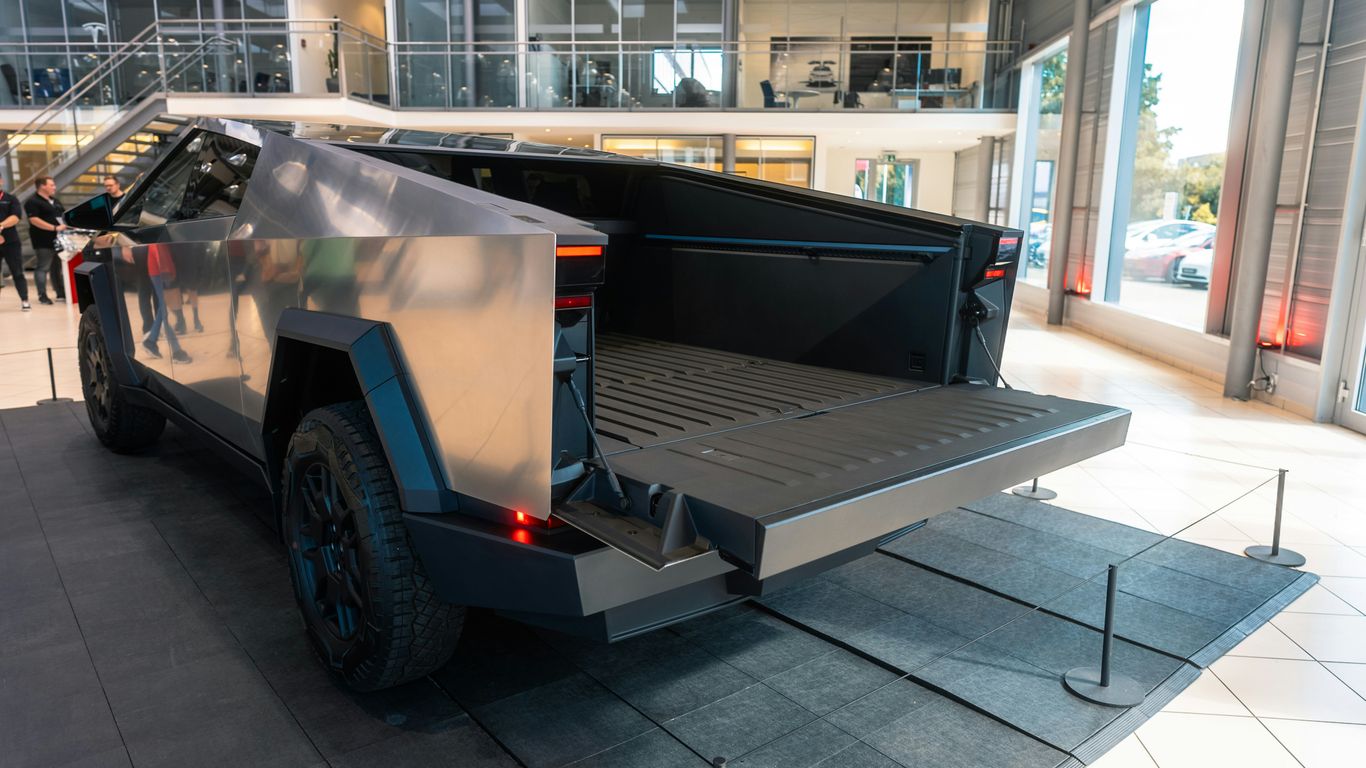
Good news for Tesla owners: voice commands work across the board. Whether you're in a Model 3, Model Y, Model S, Model X, or even the newer Cybertruck, the system is designed to be consistent. While some specific features might differ slightly based on the model year or software version, the core functionality remains the same. This means if you're familiar with voice commands in one Tesla, you'll feel right at home in another. For those with the latest models, you can find specific Cybertruck voice commands to explore.
It's worth noting that Tesla frequently updates its software, and with those updates often come new voice commands or improvements to existing ones. So, keep an eye out for those notifications – your car might get even smarter overnight!
Exploring Tesla Software Updates
Tesla vehicles are constantly evolving, and a big part of that evolution happens through software. These updates are like giving your car a tune-up, but instead of a mechanic, it's done wirelessly, right in your driveway. It's pretty neat how Tesla keeps pushing new features and improvements without you having to visit a service center.
Staying Informed On New Features
Keeping up with what's new can feel like a full-time job sometimes. Tesla usually announces major updates through their app or sometimes even a little notification on the car's screen. You might get anything from a new game to play while parked, to improvements in how Autopilot works, or even changes to the user interface. It's always a bit of a surprise what you'll get next!
New Entertainment Options: Expect new games, streaming services, or improved media playback.
Driving Assistance Enhancements: Updates often refine features like Autopilot, Traffic-Aware Cruise Control, and Autosteer.
User Interface Tweaks: Sometimes the way you interact with the car's screen gets a refresh, making things easier to find or use.
Performance Optimizations: Updates can also tweak battery management or motor efficiency for better range or power delivery.
Impact Of Software On Vehicle Performance
Don't underestimate what a software update can do for your car's actual performance. It's not just about fancy new features. Tesla uses software to manage everything from battery temperature and charging speed to how the electric motors deliver power. A well-timed update could mean your car charges a bit faster, runs more efficiently, or even gets a slight boost in acceleration. It's a continuous process of refinement.
Tips For Managing Over-The-Air Updates
Over-the-air (OTA) updates are generally straightforward, but there are a few things you can do to make the process smoother.
Connect to Wi-Fi: For larger updates, it's best to be connected to a reliable Wi-Fi network. This saves your cellular data and ensures the download is stable.
Schedule Updates: You can often choose when the update installs. It's usually best to let it happen overnight or when the car isn't in use, so you don't get interrupted.
Keep Your App Handy: The Tesla mobile app is your command center for managing updates. You can check for updates, download them, and initiate installation from your phone.
Don't Interrupt: Once an update starts, it's important not to try and drive the car or shut it down abruptly. Let it complete fully.
Software updates are a core part of the Tesla ownership experience. They mean your car can get better over time, sometimes in ways you wouldn't expect. It's a dynamic system that keeps improving, making your vehicle feel fresh even years after you bought it. Just remember to keep it connected and let it do its thing.
Enhancing Your Tesla With Accessories
So, you've got your Tesla, and it's pretty sweet right out of the factory. But what if you want to make it even better? That's where accessories come in. Think of them as the cherry on top, or maybe the practical upgrades that just make life easier. There's a whole world of stuff out there to personalize your ride and make it work even better for you.
Personalizing Your Vehicle's Look
Want your Tesla to stand out? You can change up the exterior with things like custom spoilers or even different colored brake calipers. Inside, there are options too, like ambient lighting kits that can change the mood of your cabin. It’s all about making the car feel more like yours.
Improving Interior Convenience
This is where a lot of the really useful stuff lives. Think about things like organizers for your center console or door pockets – suddenly, all those little items have a place. Floor mats are a big one too; all-weather ones are great for keeping the carpet clean, especially if you have kids or live somewhere with rough weather. And don't forget phone mounts or wireless chargers, which are pretty much standard these days.
Here are some popular interior upgrades:
All-weather floor mats: Protect your original carpet from dirt, spills, and wear.
Center console organizers: Keep your essentials tidy and easy to find.
Phone mounts: Securely hold your phone for navigation or calls.
Screen protectors: Guard your main display against scratches and smudges.
Performance And Protection Upgrades
Beyond just looks and convenience, accessories can also help with performance and protection. Things like mud flaps can save your paint from road debris. For those who want a bit more, there are aerodynamic upgrades or even suspension components, though that's getting into more serious territory. And of course, protecting your investment is key. Screen protectors are a no-brainer, and trunk mats can save your cargo area from damage.
Choosing the right accessories often comes down to what you need most. Some people focus on making the car look unique, while others prioritize practicality and keeping things clean. It's a good idea to think about your daily driving habits and what would genuinely make your Tesla experience better before you start buying things.
Resources For Tesla Owners
Video Guides For New Owners
Getting a new Tesla can feel like a big step, and there's a lot to learn. Luckily, there are tons of video guides out there to help you get started. You can find playlists that cover everything from the initial setup and understanding basic features to advice on transitioning from a gas car. These videos are great for seeing how things work in real-time, which is way better than just reading a manual. They really help make the whole process feel less intimidating.
In-Depth Model Comparisons
Thinking about which Tesla model is right for you? Or maybe you're just curious about the differences between, say, a Model 3 and a Model Y? There are detailed video comparisons that break down everything: range, interior space, performance specs, and even cargo capacity. They often go beyond what you'd find in a brochure, giving you a clearer picture of how each model fits different needs. It's super helpful for making a big purchase decision.
Maintenance and Customization Tutorials
Once you've got your Tesla, you might want to keep it looking sharp or add some personal touches. You'll find plenty of how-to videos for common maintenance tasks, like cleaning tips or how to install simple accessories. Plus, there are tutorials for customizing your car's interior or exterior, from adding screen protectors to installing new floor mats. These guides can save you time and money, and honestly, it's pretty satisfying to do it yourself.
It's easy to get lost in all the information available online. Focusing on resources that provide practical, real-world advice can make a big difference in your Tesla ownership journey. Look for content creators who actually use and test the products and features they talk about.
Here are some common areas covered in these resources:
Getting Started: Initial setup, app connection, charging basics.
Driving Features: Understanding Autopilot, navigation, and other in-car tech.
Maintenance: Cleaning, tire care, and basic upkeep.
Customization: Interior and exterior accessory installation.
For a great starting point on finding useful apps, check out this list of essential apps for Tesla drivers. It's a good way to begin exploring the software side of your car.
Looking for ways to make your Tesla even better? We've gathered some awesome stuff that owners love. From keeping your car clean to adding cool tech, we've got you covered for Model Y, 3, S, X, and even the Cybertruck. Check out our top picks and find something great for your ride!
Wrapping It Up
So, that's a look at the different apps and software that can really make your Tesla ownership experience even better. From keeping things organized to finding new ways to enjoy your drive, there's a lot out there. We've covered how to get the most out of the car's built-in features and explored some handy third-party options too. Remember, the best setup is the one that works for you, so don't be afraid to try things out and see what fits your daily routine. Happy driving!
Frequently Asked Questions
What kind of apps can I get for my Tesla?
You can find many apps to make your Tesla even better! Some apps help you drive smarter, like ones that show you charging spots or help you plan trips. Others add fun stuff, like games or ways to play music. There are also apps that help you keep an eye on your car's performance or customize how it looks and feels.
Are there apps for both iPhones and Android phones?
Yes, definitely! Most of the cool apps made for Teslas work on both iPhones and Android phones. This means no matter what kind of phone you have, you can probably find apps to use with your car.
How do I know which apps are good?
It's smart to check what other Tesla owners think. Many app stores let you see ratings and read reviews from people who have already used the apps. This helps you pick the best ones that fit what you need and like.
Can I control my Tesla using my voice?
Absolutely! Tesla cars have a great voice command system. You can tell your car to do things like turn up the heat, play a song, or find directions, all without taking your hands off the wheel. It's super handy and keeps you safer on the road.
How do I get the latest software for my Tesla?
Tesla sends software updates right to your car over the internet, like magic! It's called 'over-the-air' updates. Your car will usually let you know when an update is ready. It's a good idea to install them so you get new features and improvements.
Are there accessories that can make my Tesla better?
Yes, there are tons of accessories! You can get things to make the inside comfier, like special pillows or organizers for your stuff. You can also find accessories to protect your car, like floor mats or screen protectors, or even things that change how your car looks, like cool spoilers.



Comments