
Best Tesla YouTube Videos Every Owner Should Watch
So, you've got a Tesla, or you're thinking about getting one. That's awesome. There's a ton of info out there, especially on YouTube. It can be a bit much, right? I've looked through a lot of videos to find the best ones that really help you out. Whether you're just starting or you've been driving one for a while, these videos cover the important stuff. They're great for learning how things work, what to watch out for, and even how to make your car better. Think of this as your shortcut to becoming a Tesla pro.
Key Takeaways
Get the lowdown on different Tesla models and features to help you decide which one is right for you.
Learn how to do simple maintenance, customize your car, and get step-by-step guides for common tasks.
Find out what to expect and how to handle your new Tesla, with tips for setup and feature use.
Discover useful accessories that can make your Tesla even better, from practical add-ons to style upgrades.
Stay up-to-date with the latest Tesla news, software updates, and what's coming next in the EV world.
1. Tesla Buyer's Guides
Thinking about getting a Tesla? It's a big decision, and there's a lot to consider. These buyer's guides are your first stop to figure out which Tesla fits your life. We break down the differences between popular models like the Model Y and Model 3, looking at things like range, interior space, and performance. It's all about helping you make a smart choice without getting lost in technical specs.
We cover:
Model Comparisons: See how the Model 3 stacks up against the Model Y, or explore the S and X if you need more space or luxury.
Key Features: Understand what makes each Tesla unique, from the Autopilot capabilities to the minimalist interior design.
Real-World Use: We talk about practical stuff like charging, daily driving, and how Teslas fit into different lifestyles.
Choosing the right Tesla is more than just picking a car; it's about finding the best fit for your daily needs and future plans. These guides aim to give you a clear picture before you even step into a showroom.
Whether you're curious about the performance of a Model S Plaid or need to know if the Model Y's cargo capacity is enough for your family, these videos cut through the marketing. They offer straightforward advice based on actual experience, helping you understand the pros and cons of each option. We also touch on how certain accessories might complement your chosen model right from the start.
2. How-To Tutorials
So you've got your Tesla, and now you're wondering how to get the most out of it. That's where the "How-To Tutorials" playlist comes in. These videos are your go-to for all things practical, from simple maintenance tasks to customizing your ride. We break down complex procedures into easy-to-follow steps, making sure you can tackle them with confidence, even if you're not a car person.
Whether you're looking to install a new accessory, understand a specific feature, or just keep your Tesla running smoothly, you'll find a tutorial here. We cover a wide range of topics, including:
Accessory Installation: Learn how to properly install popular items like screen protectors, floor mats, or even more involved upgrades. We show you the best way to do it without causing any damage.
Software Features: Get a handle on the more advanced aspects of Tesla's software, like customizing your Autopilot settings or optimizing your charging schedule.
Basic Maintenance: Simple tasks like checking tire pressure, cleaning your sensors, or understanding your car's alerts are covered in detail.
Tips and Tricks: Discover little-known ways to make your Tesla ownership experience even better, from clever storage solutions to efficient driving techniques.
These tutorials are designed to save you time and guesswork. Instead of fumbling through a confusing manual or hoping for the best, you can watch a clear, concise video and get it done right the first time. It's all about making your Tesla ownership as enjoyable and hassle-free as possible. For a deeper dive into specific commands, check out the complete list of Tesla Voice Commands to master hands-free control.
3. Videos For New Tesla Owners
So, you've got your shiny new Tesla, and maybe you're feeling a mix of excitement and a little bit of 'what now?' It's totally normal! These videos are your friendly guide to getting started. They break down the basics, from setting up the Tesla app on your phone to understanding all those cool features on the big touchscreen. Think of it as your quick-start manual, but way more fun to watch.
Here are some key things these videos help with:
Getting Familiar: Learn how to use the Autopilot features safely and effectively. It's not as complicated as it might seem at first.
Charging Basics: Understand where and how to charge your Tesla, whether it's at home or using a Supercharger. We'll cover the best practices.
Daily Use: Discover tips for everyday driving, like adjusting climate controls, using voice commands, and managing your car's settings.
Maintenance: Get simple advice on keeping your Tesla in top shape, from cleaning to understanding tire pressure.
Transitioning to an electric vehicle like a Tesla is a big step, and these videos aim to make that transition smooth and enjoyable. They cover everything from the initial setup to getting the most out of your car day-to-day, helping you feel confident behind the wheel right away.
4. Must Have Tesla Accessories
So, you've got your Tesla, and now you're thinking about how to make it even better. It's easy to get lost in all the options out there, but some accessories are just game-changers for daily use and keeping your car looking sharp. These aren't just add-ons; they're practical upgrades that make a real difference.
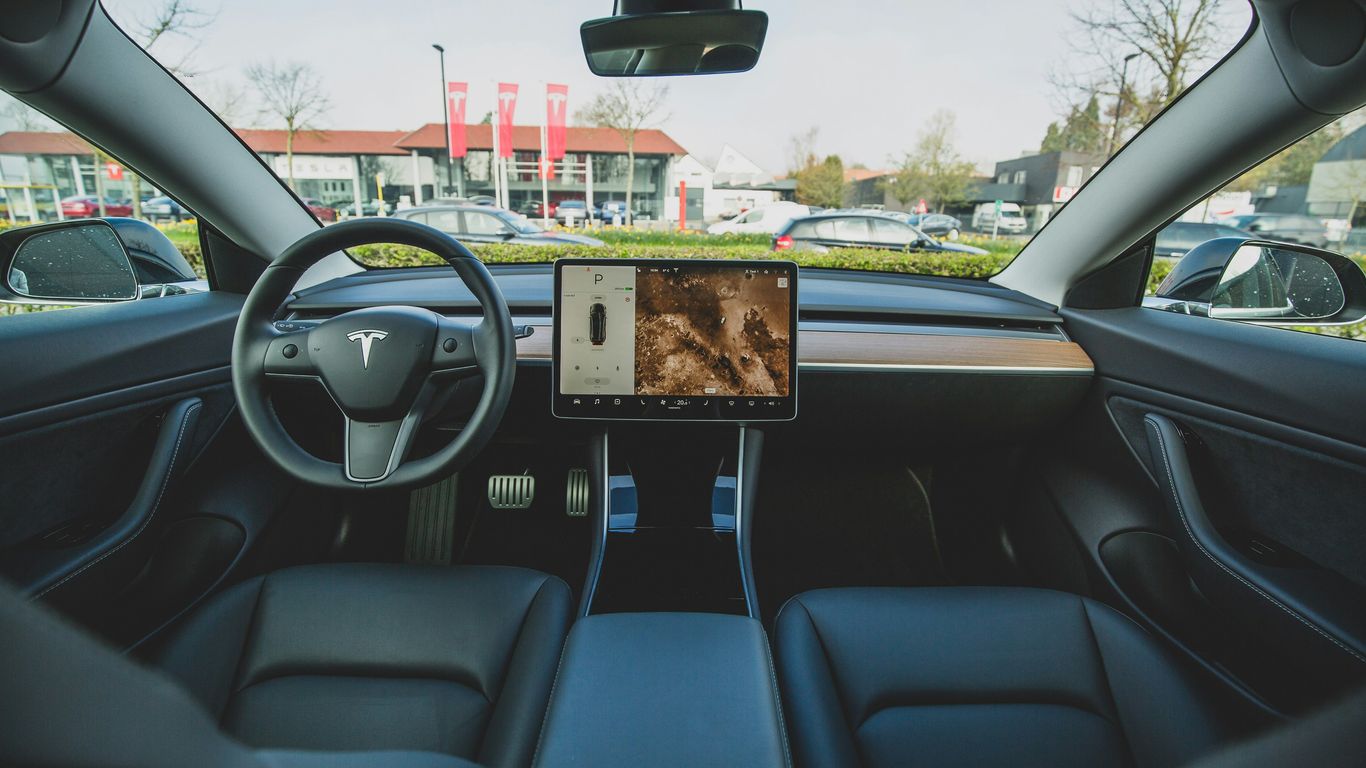
Think about the basics first. Floor mats are a must, especially if you live somewhere with messy weather or have kids or pets. They protect your original carpet from spills, mud, and wear and tear. Similarly, a good screen protector for that big central display is a smart move to prevent scratches and smudges. It's like putting a case on your phone – just a sensible precaution.
Beyond protection, organization is key. Tesla interiors are pretty sleek, but they can get cluttered fast. Organizers for the center console, glove box, and even door pockets can help keep things tidy. This means less time searching for that charging cable or your sunglasses and more time enjoying the drive. A trunk organizer is also super handy for keeping groceries or gear from sliding around.
Here are a few categories of accessories that owners often find indispensable:
Protection: Screen protectors, all-weather floor mats, trunk mats, mud flaps, and car covers.
Organization: Center console organizers, glove box inserts, door pocket holders, and trunk organizers.
Convenience: Phone mounts (if you prefer one over the built-in charging), cup holder inserts, and sunshades for hot days.
Aesthetics: Things like carbon fiber spoilers or interior trim can add a personal touch, but focus on function first.
When looking for accessories, it's always a good idea to check reviews from other Tesla owners. What works for one person might not be ideal for another, depending on their specific model and how they use their car. Stick to reputable brands and sellers who understand Tesla's unique design.
Don't forget about charging accessories either. While Teslas come with a charger, having a portable one or a good adapter can be really useful, especially for longer trips. Exploring the newest electric vehicle accessories can really help you get the most out of your car from brands like Tesla and Rivian.
Ultimately, the best accessories are the ones that solve a problem or make your daily driving experience smoother. Start with the essentials and add more as you discover what you need.
5. News and Updates
Staying up-to-date with Tesla is kind of a big deal, right? The company is always buzzing with something new, whether it's a software update that changes how your car drives or a surprise announcement about a future model. This section is all about keeping you in the loop.
We'll cover the latest happenings straight from Tesla. Think of it as your quick rundown of what's happening at Tesla HQ. This means you won't miss out on important changes or exciting new features.
Here's what you can expect:
Software Updates: We'll break down what the latest software brings to your car, from new Autopilot features to infotainment upgrades.
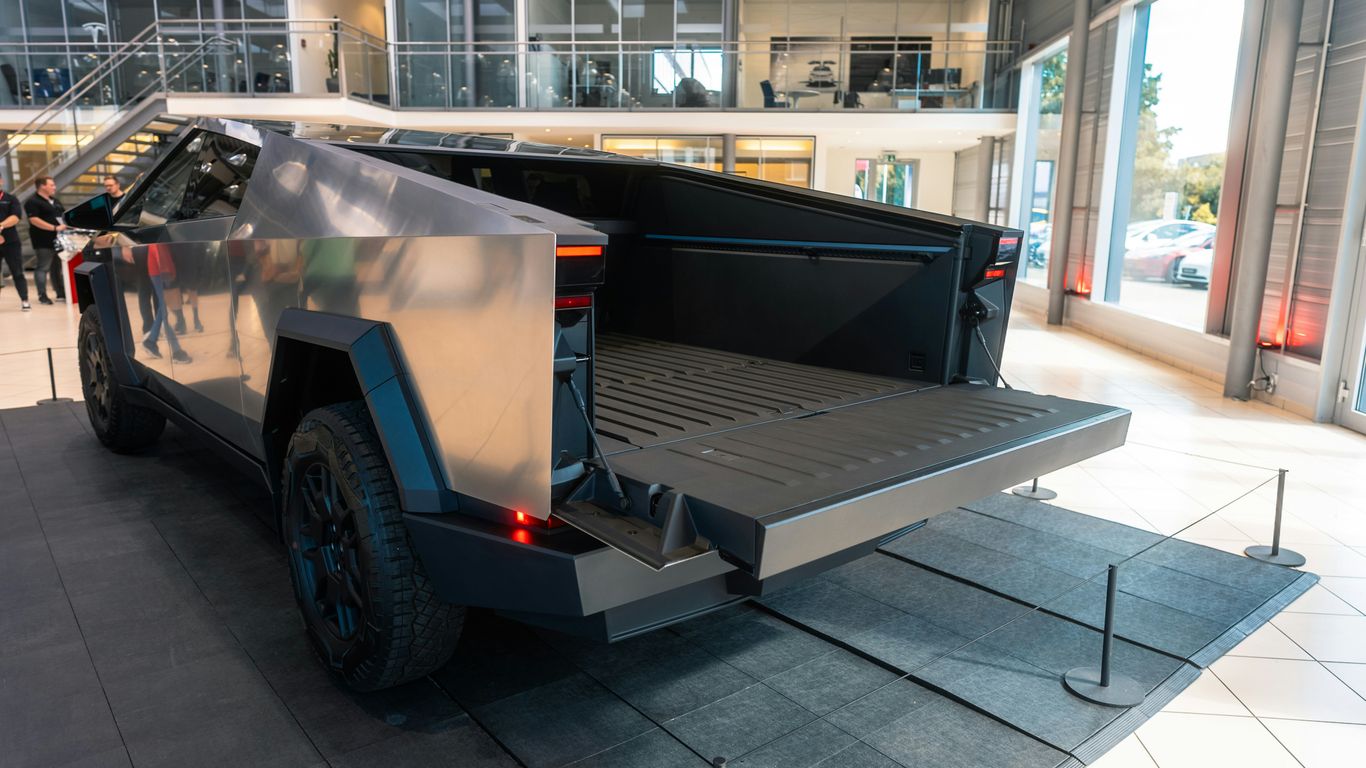
New Model Information: Get the scoop on upcoming vehicles, like potential updates to the Model Y or new details about the Cybertruck.
Company News: Major announcements, production updates, and anything else that impacts the Tesla world.
Industry Trends: How Tesla fits into the bigger picture of electric vehicles and automotive tech.
Keeping track of Tesla's rapid development can feel like a full-time job. These videos aim to simplify that, giving you the essential information without all the noise. It's about understanding how these changes might affect your ownership experience and what to look forward to.
It's easy to get lost in all the tech talk, but these videos try to make it clear. We'll focus on what actually matters to you as a Tesla owner or someone thinking about getting one. So, whether it's a minor tweak or a major reveal, you'll know about it here.
6. Model Y, Model 3, Performance, Design, Usability
When you're looking at Tesla, the Model Y and Model 3 often come up first. These two vehicles are the most popular, and for good reason. They offer a great balance of range, features, and price. But what really sets them apart? This section dives into the specifics, looking at performance, how they're designed, and how easy they are to live with day-to-day.
The Model Y offers more cargo space and a slightly higher driving position, while the Model 3 is generally considered the sportier of the two. Both cars share Tesla's signature minimalist interior and advanced tech, but subtle differences can make a big impact on your driving experience. We'll break down what makes each unique.
Here's a quick look at some key differences:
Performance: While both are quick, the Model 3 often feels more agile due to its lower center of gravity. The Model Y, especially the Performance version, still offers exhilarating acceleration.
Design: The Model Y has a more SUV-like profile, giving it that extra utility. The Model 3 has a sleeker, sedan-like appearance.
Usability: Think about your daily needs. Do you need more room for passengers or gear? The Model Y's hatchback design and larger interior might be a better fit. If you prefer a more car-like feel and don't haul large items often, the Model 3 could be perfect.
Understanding these core differences helps you decide which Tesla fits your lifestyle best. It's not just about specs; it's about how the car feels and functions for you.
For those interested in the latest refinements, checking out videos on the 2026 Tesla Model Y Performance can give you a clearer picture of ongoing improvements. It's always good to see how these cars evolve.
7. Tesla Delivery Checklist
Picking up your new Tesla is a big moment, and you want to make sure everything is just right. Don't just sign the papers and drive off without a thorough check. A little preparation goes a long way to ensure you're happy with your new electric ride from the start.
Before you even get to the delivery center, it's a good idea to have a list of things to look for. This isn't about finding major flaws, but more about checking the little details that can make a difference. Think of it as a final inspection before you take ownership.
Here’s a quick rundown of what to focus on:
Exterior: Walk around the car. Look for any scratches, dents, or paint imperfections. Check that all the panels line up nicely and that the doors, trunk, and frunk open and close smoothly. Make sure the lights are all working and the glass is free of chips or cracks.
Interior: Sit inside and get a feel for the cabin. Check the upholstery for any tears or stains. Test all the buttons and controls to make sure they function as expected. Look at the screens – are they clean and free of dead pixels? Make sure the floor mats are in place and the general fit and finish looks good.
Technology: This is a big one for Teslas. Ensure the infotainment system is responsive. If you've ordered specific features like enhanced autopilot, confirm they are active. Check the charging port to make sure it opens and closes correctly. It's also worth checking the tire pressure and the charge level on the battery.
Documentation: Double-check that you have all the necessary paperwork, including the owner's manual, warranty information, and any registration documents. Make sure the VIN on the car matches the paperwork.
Taking a few extra minutes during delivery can save you a lot of hassle later on. It's your car, and you deserve to have it in perfect condition. If you spot anything concerning, don't hesitate to discuss it with the Tesla representative before you accept the vehicle. They are usually happy to address any issues.
Having a checklist like this can make the process feel less overwhelming and more like the exciting milestone it should be. Happy driving!
8. Tesla Voice Commands: The Complete List
Talking to your Tesla is one of those cool features that feels like living in the future. It's not just for show, either; these voice commands can actually make driving a lot easier and safer. You can control a surprising amount of your car's functions just by speaking.
Think about it – instead of fumbling with the touchscreen while you're trying to merge onto the highway, you can just tell your car what you need. Need to adjust the temperature because it suddenly got warmer? "Set cabin temperature to 72 degrees." Want to find a charging station? "Navigate to the nearest Supercharger." It's that simple.
Here's a breakdown of some of the most common and useful voice commands:
Navigation:"Navigate to [address]"Show me directions home/to work"Find nearby charging stations"Where is the nearest coffee shop?
Climate Control:"Set temperature to [degrees]"Turn on seat heater/cooler"Defrost front/rear windshield"
Media & Audio:"Play [song/artist/playlist]"Turn up/down the volume"Mute audio"
General Controls:"Open/close glove box"Turn on/off wipers"Flash headlights"Honk the horn"
It's worth noting that Tesla is always updating its software, so new commands might pop up or existing ones might get tweaked. Keeping your car's software up-to-date is a good way to make sure you have access to the latest features. You can find a more extensive list of commands in the owner's manual or through various online resources dedicated to Tesla tips and tricks. Mastering these commands can really improve your driving experience and make you feel more connected to your vehicle.
9. How To Use a Supercharger
So, you've got your Tesla, and you're ready to hit the road. But what about charging when you're away from home? That's where the Supercharger network comes in. It's pretty straightforward, but knowing the steps makes it even easier.
First things first, you need to find a Supercharger station. Your Tesla's navigation system is your best friend here. Just tap on the map, and it'll show you nearby Superchargers, along with how many stalls are available and how fast they can charge your car. Planning your route with Supercharger stops is key for longer trips.
When you arrive at the station, just pull up to an available stall. Most Teslas have the charging port on the rear passenger side, so position your car accordingly. You don't need to do anything else – your car will automatically communicate with the charger.
Here's the basic process:
Locate a Supercharger: Use your car's navigation or the Tesla app.
Park: Pull into an available stall, aligning your charging port.
Connect: Open your car's charge port door (you can do this via the touchscreen or the app). Then, grab the Supercharger connector and plug it firmly into your car's port. You'll hear a click when it's properly seated.
Charge: The charging will begin automatically. You can monitor the progress on your car's touchscreen or the Tesla app. It'll show you the current charging speed and the estimated time until you reach your desired charge level (usually around 80% is recommended for faster charging).
Disconnect: Once charging is complete or you've reached your target, simply press the button on the connector handle to release it from your car. Then, unplug it and hang it back on the Supercharger station.
It's a good idea to charge only as much as you need to reach your next destination or charging point. Supercharging is designed for quick top-ups on the go, not necessarily for a full 100% charge every time. This helps keep the network efficient for everyone.
Payment is handled automatically through your Tesla account. You'll see the charging cost appear in your account after you've finished charging. It's a pretty frictionless experience once you've done it a couple of times. No fumbling for credit cards or apps – just plug in and go.
10. 20 Tesla Hidden Features
So, you've got your Tesla, and you're probably feeling pretty good about all the cool tech it has. But did you know there's a whole bunch of stuff tucked away that most people never even find? It's like Tesla put in a bunch of Easter eggs for its owners. These aren't just little quirks; some of them can actually make your daily driving a lot easier or just more fun.
Let's talk about a few. Ever notice that little drawing of a car on your screen when you're driving? If you tap it multiple times, you can change it to something else. Sometimes it's a truck, sometimes it's a spaceship. It's a small thing, but it's a fun little surprise. Then there's the "fart mode." Yep, you can make your car fart on command, and you can even set it to happen when someone gets in or when you use the turn signal. It's silly, but hey, it gets a laugh.
Here are some other neat tricks you might not know about:
Summon: This lets you pull your car forward or backward using the app. It's super handy if you're parked in a tight spot.
Boombox: You can play music or sound effects from your car's external speaker when parked. Great for showing off or just having some fun.
Toybox: This is where Tesla keeps all the fun stuff, like the fart mode, the fireplace visualizer, and even a drawing pad.
Hidden Camera Features: Did you know your Tesla's cameras can do more than just record? You can use them to check on your car remotely via the app.
Customizable Controls: You can rearrange the icons on your touchscreen to put your most-used features right at your fingertips. This is a big one for making the car feel like yours.
And that's just scratching the surface. There are ways to customize your charging screen, use voice commands for things you wouldn't expect, and even access a secret menu if you know the right sequence. Exploring these hidden features can really change how you interact with your car. It's worth taking some time to poke around the menus and see what you can discover. You might be surprised at what you find, and it can definitely help you get more out of the Tesla app and your ownership experience overall.
It's easy to get caught up in the big features like Autopilot and the massive touchscreen, but sometimes the best parts of a car are the little things that make life a bit more convenient or entertaining. Tesla seems to understand that, packing in these hidden gems for owners to find.
Did you know your Tesla has some cool hidden tricks? We've put together a list of "10 Tesla Hidden Features" that can make your driving experience even better. From secret menus to clever shortcuts, these tips will help you get more out of your electric ride. Want to learn more about these awesome features and other ways to upgrade your Tesla? Visit our website today to explore all the possibilities!
Wrapping It Up
So there you have it, a bunch of YouTube videos that can really help you out with your Tesla. Whether you just got your car or you've had it for a while, there's probably something in these videos for you. They cover everything from the basics to more specific stuff, and a lot of them even show you cool accessories you might want. Watching these can make owning your Tesla a lot easier and more fun. Don't forget to check out the channels and maybe even subscribe if you find them helpful. Happy driving!
Frequently Asked Questions
What's the best way to start learning about my new Tesla?
If you're new to Tesla, watching videos specifically for new owners is a great start. These guides cover everything from setting up your car's features to getting comfortable with driving an electric vehicle. They're like a friendly walkthrough to help you feel confident right away.
How can I figure out which Tesla model is right for me?
To help you choose, check out buyer's guides that compare different Tesla models. They break down things like how much space each car has, how far they can go on a charge, and what they cost. This makes it easier to see which one fits your needs best.
Where can I find easy instructions for using Tesla features?
Look for 'How-To Tutorials' videos. These are step-by-step guides that show you how to do things like customize your car's screen or perform simple maintenance. They're super helpful for making sure you get the most out of your Tesla.
What are some cool accessories that can make my Tesla better?
There are tons of accessories out there! Videos about 'Must-Have Tesla Accessories' can show you useful items like organizers for your car's interior, screen protectors, or even special floor mats. These can help keep your car looking great and make your drives more comfortable.
How do I know if I'm charging my Tesla correctly?
Charging can seem tricky at first, but there are videos that explain exactly how to use Superchargers and other charging methods. They'll walk you through the process so you can charge up quickly and easily, whether you're on a long trip or just charging at home.
Are there any secret features in my Tesla I should know about?
Absolutely! Many Teslas have hidden features that aren't obvious at first. Videos that reveal 'Tesla Hidden Features' can show you cool tricks and shortcuts that make using your car even more fun and convenient. You might be surprised by what your car can do!



Comments