
Best Phone Mounts for the Tesla Model Y Juniper: Fit, Features and Buying Guide
Key Takeaways
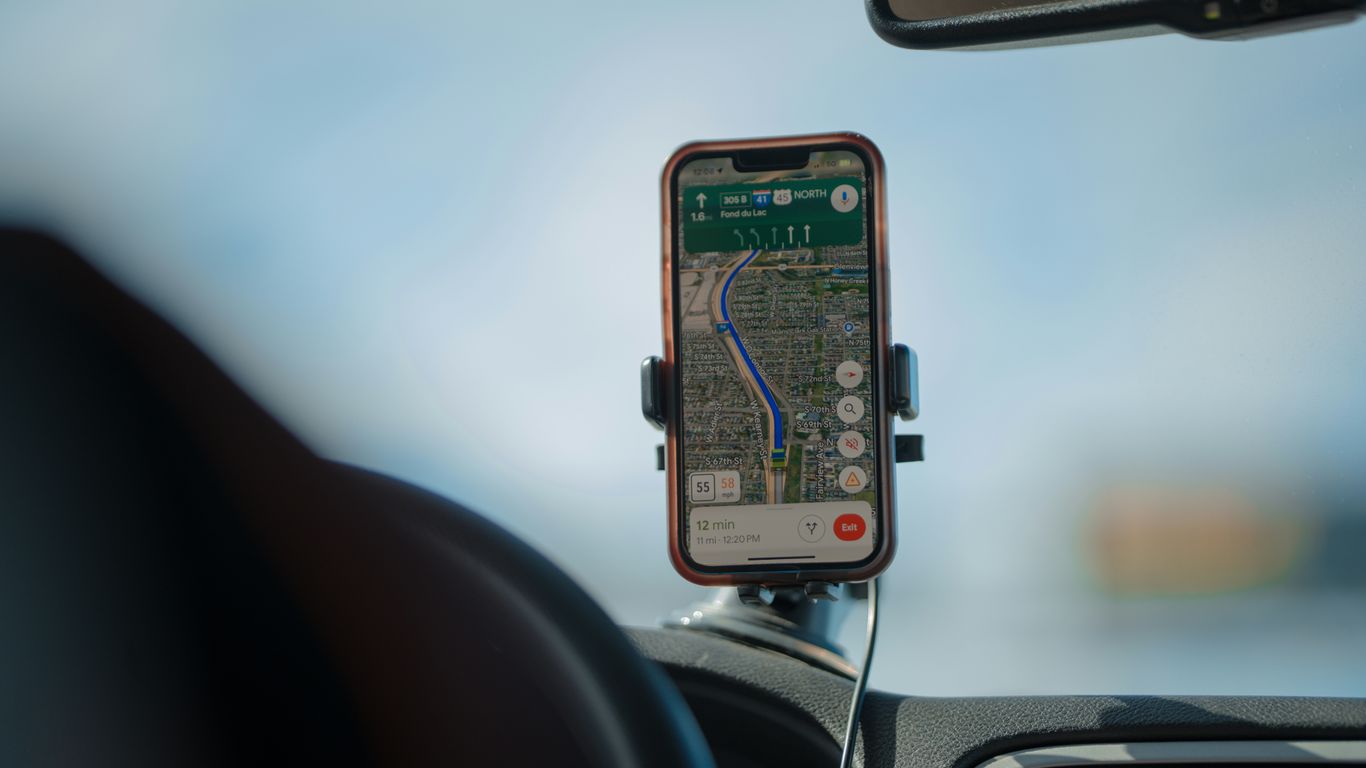
The best phone mount is the one that fits your exact Juniper configuration and sits comfortably in your field of view. Start with fitment, then weigh charging, adjustability, and how much hardware you want in the cabin.
Verify the listing names your Model Y Juniper model year and refresh before buying.
Choose MagSafe or wireless charging only if it matches your phone and daily routine.
Check that the mount does not block the touchscreen, controls, or your view of the road.
Prefer an installation method you can live with, whether magnetic, adhesive, or a fitted attachment.
Recheck current seller details for compatibility, price, availability, shipping, and returns.
1. Best overall phone mount for the Tesla Model Y Juniper
The best all-around choice is less about a particular shape than a balance: secure placement, an easy viewing angle, and no unnecessary clutter. Because Juniper is a refresh with its own fitment considerations, don’t assume a mount made for an earlier Model Y will transfer over. A verified Juniper fit should come before a long list of features.
Think about what you actually do with your phone in the car. If it is mainly a backup for navigation or audio controls, a simple holder may be enough; if you want to charge while driving, power delivery and cable routing matter too. For other cabin and trip-planning priorities, this Juniper road-trip accessories guide offers a broader set of things to check before setting out.
A quick comparison can help narrow the field without pretending one mounting style suits everyone. Use it as a starting point, then compare the exact seller listing for your vehicle and phone.
Mount style | Works well for | Check before buying |
|---|---|---|
Magnetic | Fast one-handed placement | Phone compatibility and included plate or ring |
Wireless charging | Charging during regular drives | Phone support, power connection, and cable route |
Adjustable arm | More control over viewing position | Range of movement and cabin clearance |
Adhesive base | A fixed, secure-feeling location | Surface suitability and removal instructions |
The right pick is the one that stays easy to reach without competing with the main display. If a listing is vague about model year or refresh, pause and verify rather than relying on a broad “Model Y” label.
2. Best MagSafe phone mount for quick attachment
MagSafe can make attaching and removing a compatible phone pleasantly simple: bring it to the mount, let the magnets align, and take it with you when you park. That convenience depends on your phone or case being compatible, so check both the mount details and your own setup. A magnetic ring added to a case may change the fit, too.
For this category, pay attention to where the phone lands as much as how it attaches. It should be easy to glance at when parked or when navigation prompts are useful, but it should not cover the touchscreen or interfere with the driver’s view. A mount advertised for a different Model Y generation is not automatically a Juniper fit.
The Jowua 6D Invisible Foldaway Car Mount is described as having a discreet design, an adjustable metal arm, a secure silicone surface, and MagSafe wireless charging support. Its page also describes a custom cable designed to tuck into the center console. Confirm its current vehicle compatibility and the phone setup you plan to use before ordering; those details matter more than a broad claim of magnetic convenience.
3. Best wireless-charging phone mount for daily driving
A charging mount can reduce the small friction of getting into the car with a low battery, especially if you use your phone for navigation. It also adds more to consider than a basic holder: your phone must support the charging method, and the mount needs a suitable power connection. Read the current product specifications rather than assuming every magnetic holder charges wirelessly.
Consider where the cable will run and whether it can stay tidy without crossing controls or becoming a snag point. A clean installation is useful, but don’t route a cable in a way that distracts the driver or makes the phone awkward to remove. A mount that is easy to live with on ordinary errands is often more valuable than one with a feature you rarely use.
Before buying, check the exact Juniper compatibility statement and the included power or cable details. Seller listings can change, and the vehicle’s year, refresh, trim, and configuration can affect fitment. If any of those details are unclear, verify them with the seller rather than treating wireless charging as proof of a vehicle-specific fit.
4. Best non-charging magnetic mount for a simple setup
If your phone is usually charged before you drive, a non-charging magnetic mount keeps the decision straightforward. There is no charging feature to pay for or power cable to route, and the phone can still be quick to attach if its case or an included accessory is compatible. Look for clear information about the magnetic interface and what, if anything, must be added to the phone.
A magnetic mount is not automatically a universal fit. Confirm the dashboard or attachment point is intended for the Juniper, then consider whether the phone’s weight and case work with the mount’s stated design. The VICSEED magnetic phone mount is described as having 12 N52 magnets, a foldable design, and an adjustable 360-degree ball joint; its listing covers Model Y Juniper among the named vehicles. Check the current compatibility and installation details before buying.
A short setup video can help you notice what installation questions to ask, though it cannot confirm fit on your own vehicle. Focus on where the mount attaches, how it moves, and whether the finished position leaves the display and important controls clear.
5. Best adjustable-arm mount for flexible positioning
An adjustable arm is useful when a fixed mount leaves the screen too close, too far away, or at an awkward angle. The goal is to set a comfortable position once, not to keep reaching over and adjusting it while driving. A broader principle of protecting attention and capacity applies here in a small, practical way: choose a setup that asks less of your attention.
Before settling on this style, consider a few everyday checks while the car is parked:
Can you change the angle without covering the touchscreen?
Does the phone sit clear of the steering wheel and controls?
Can you reach it without leaning or twisting?
Does the arm remain out of the way when the phone is removed?
For a Juniper-specific example, the TOPABYTE adjustable phone mount is described as dashboard-mounted, with magnetic hold, for the Model Y Juniper (2025–2026) and Model 3 Highland (2024–2026). The listing says it is not compatible with earlier Model 3 or Model Y models. Check the live seller information for the exact vehicle and installation details, then set the angle while parked.
6. Best low-profile mount for a clean cabin
A low-profile mount suits drivers who want the phone available without making it the most noticeable object in the cabin. Smaller hardware can look tidy, but the placement still has to work with the phone you use and the Juniper’s interior. Look for a design that can hold your phone in a useful position without hiding the center display or creating an awkward reach.
The Jowua 6D Invisible Foldaway Car Mount is described as having a discreet design and a foldaway form, alongside an adjustable metal arm and secure silicone surface. Those are the listed design details; they do not replace checking whether the current version fits your exact vehicle and phone. Also consider whether any charging support is part of the setup you actually want.
Low-profile should mean unobtrusive in use, not hard to see or retrieve. Try the intended position while parked, check the view from the driver’s seat, and make sure the mount does not crowd the display. If the holder needs a complicated angle to stay out of the way, a different placement may suit your cabin better.
7. Best adhesive dashboard mount for a secure hold
An adhesive mount may appeal if you want a defined place for the phone and prefer not to rely on a loose or movable base. Its success depends on the specific mounting surface and the product’s installation instructions. Check whether the seller identifies the surface as suitable and explains preparation, placement, and removal.
The adhesive location should leave the touchscreen, controls, and driver sightlines unobstructed. It is worth sitting in the driver’s seat and checking the proposed position before sticking anything down; once attached, repositioning may be inconvenient. Avoid assuming a general dashboard adhesive will behave the same on every interior surface.
Fitment still matters even when the mount attaches with adhesive rather than a vehicle-specific clip. Review the listing for exact Juniper year and refresh coverage, then compare its dimensions with the space you have available. If the product page does not make those points clear, treat the fit as unverified until the seller confirms it.
8. Best screen-edge mount for keeping the phone in view
A screen-edge mount can place the phone close to the central display, which may suit drivers who want a shared glance point for navigation. That position also calls for care: the phone must not cover important parts of the screen or block access to controls. Look closely at photos and dimensions, and consider how the mount sits from the driver’s actual seat.
Juniper’s refreshed interior makes it especially unwise to infer fit from an older Model Y listing. Check whether the page names the 2025–2026 Juniper generation and describes the exact attachment point. A general label such as “Tesla Model Y” may refer to a different version, so ask the seller if the wording is ambiguous.
Positioning is a matter of trade-offs, not simply getting the phone as close as possible. The best spot stays within comfortable reach and glance range while preserving a clear view of the road and the original display. If a screen-edge holder crowds either one, choose a less intrusive location instead.
9. Best passenger-friendly phone mount for shared navigation
When a passenger helps with navigation, music, or trip planning, a phone mount can give both front-seat occupants a more useful view of directions. Agree on a location that does not interfere with the driver’s controls or line of sight, and keep phone interaction with the passenger whenever the vehicle is moving. A shared screen position should support the drive, not invite extra distraction.
If a passenger is also traveling with a pet, think about the back seat separately from phone placement. The PetRide seat cover is described as having a rigid, waterproof base and leaving room for a passenger or baby seat; its page says it fits most cars, SUVs, and utes. Check the seller’s specific vehicle details before purchase. For a dog-friendly stop on a longer route, this guide compares Chattanooga dog parks by space, crowds, and amenities.
For longer trips, it can help to plan small comforts and stops ahead of time; a beverage menu is one example of the kind of detail passengers might consider when choosing a break. The mount itself should remain simple: a stable location, a clear view, and no need for the driver to adjust it while underway. Revisit the setup after a short drive to see whether it still feels natural.
10. Best budget phone mount with verified Juniper fit
A lower price only counts as good value if the mount fits and does the job you need. Compare the cost with what is included, such as a phone plate, charging cable, or installation parts, and make sure the seller names your exact Juniper model year. Be cautious about assuming older Model Y compatibility carries over to the refresh.
A slow or confusing product listing is a reason to verify details, not a sign of how the mount will perform. Discussions of store speed troubleshooting are about ecommerce pages, not vehicle accessories, but the practical distinction is simple: evaluate fit and product specifications from the seller’s current listing. The retailer page also controls current price, availability, shipping, returns, and customer service.
For a final check, compare the mount’s attachment method, phone compatibility, and intended position against your own routine. You can also compare accessory options as part of a wider search, then narrow the choice using the seller’s Juniper fitment details. A modest, correctly specified mount is a better buy than an inexpensive listing that leaves basic compatibility unanswered.
Explore More Tesla Accessories
Browse the site’s organized Tesla accessory guides to compare practical options for your vehicle, then confirm the exact fit and purchase details on the current seller listing.
Conclusion
The right Model Y Juniper phone mount should fit the exact vehicle, suit your phone, and stay out of the driver’s way. Decide whether you need charging or extra adjustment, then verify the current compatibility details before ordering.
Frequently Asked Questions
Will a phone mount for an older Model Y fit the Juniper?
Not necessarily. Refresh generation, model year, trim, and the mount’s attachment point can affect compatibility, so verify the exact vehicle details on the current listing.
Is a magnetic mount compatible with every phone?
No. Compatibility depends on the phone, case, and magnetic attachment method. Check what the mount includes and whether your phone setup needs an additional plate or ring.
Do I need a wireless-charging mount?
Only if charging the phone in the car is useful to you and your phone supports the listed charging method. A basic mount may be simpler if you do not need charging.
Where should I place a phone mount?
Choose a position that is easy to reach and glance at while parked, without blocking the road view, touchscreen, or vehicle controls. Test the position from the driver’s seat before installation.
Are adhesive mounts permanent?
Adhesives vary by product and surface. Follow the seller’s instructions for application and removal, and confirm that the specified surface is suitable before attaching the mount.
Should I choose a fixed mount or an adjustable arm?
A fixed mount can keep the setup simple, while an adjustable arm offers more control over viewing position. Choose based on your preferred placement and check that the arm does not obstruct the cabin controls.
What should I verify before ordering a budget mount?
Check Juniper model-year fitment, phone compatibility, what is included, installation details, and the seller’s current price and return terms. Do not rely on a generic Model Y label alone.


Comments